- Web
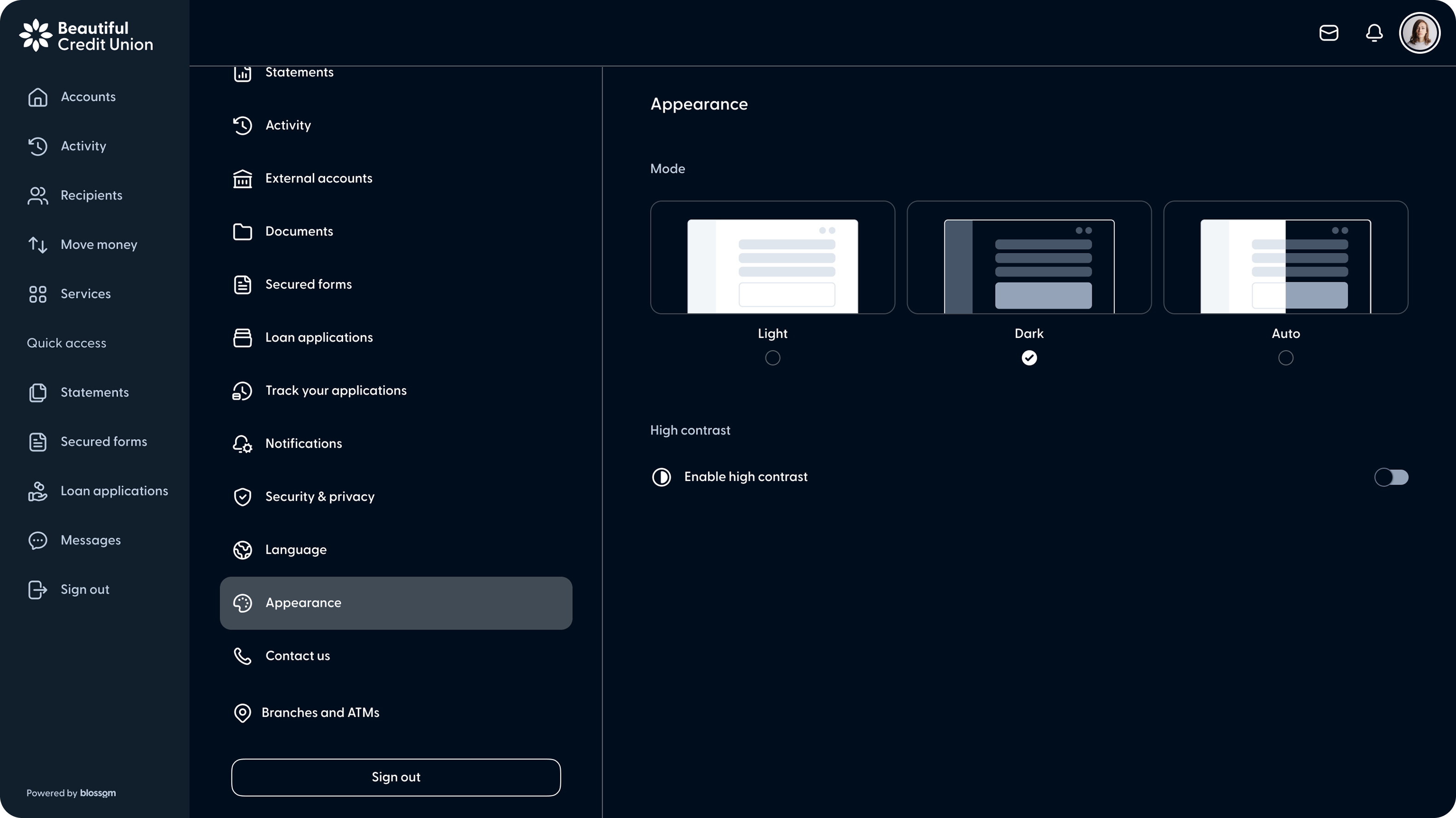
Dark mode now available in Online Banking
Members can now switch between light, dark, and system default themes from the Appearance section in settings. The selected preference persists across web sessions.

Members can now switch between light, dark, and system default themes from the Appearance section in settings. The selected preference persists across web sessions.
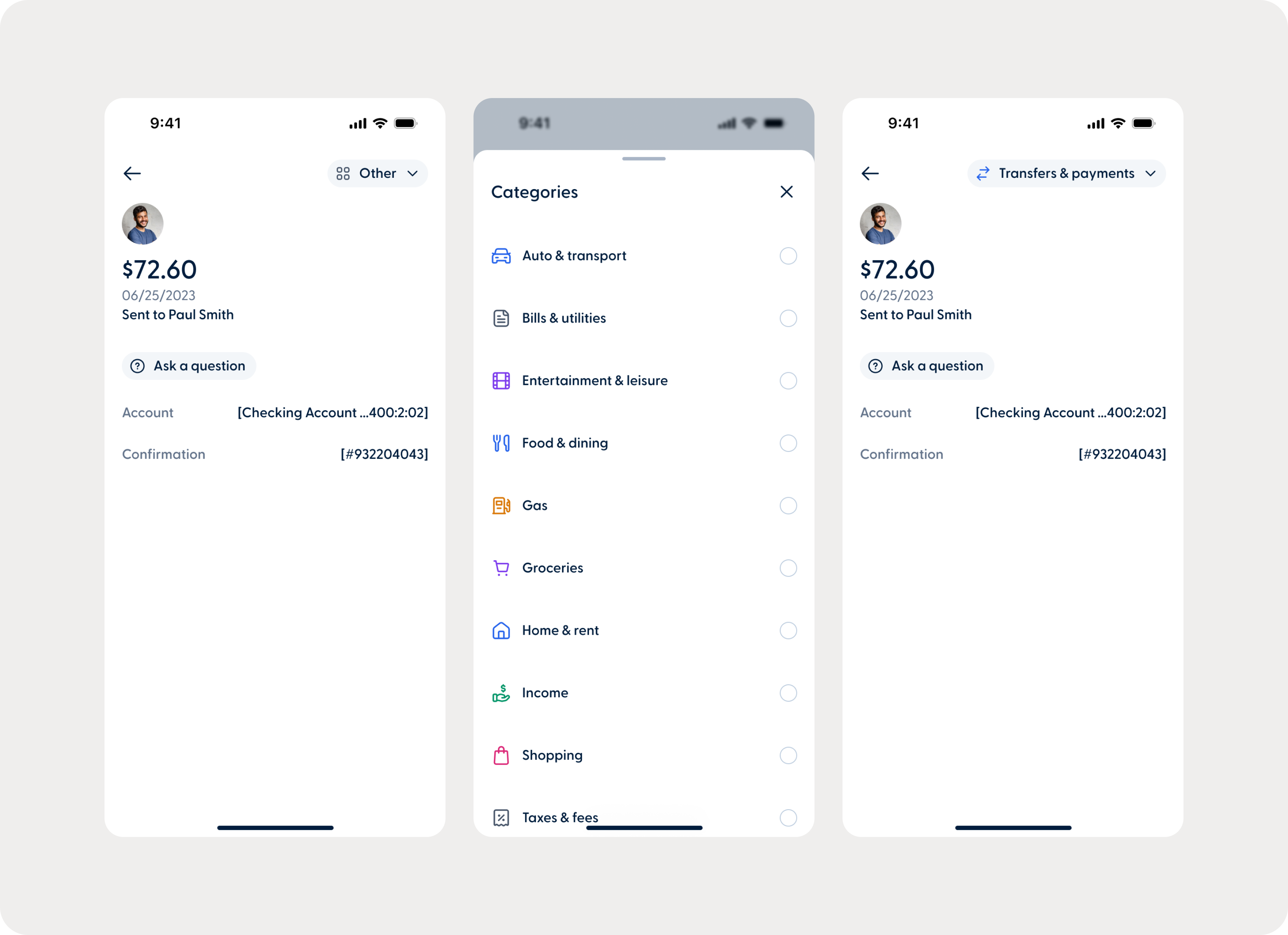
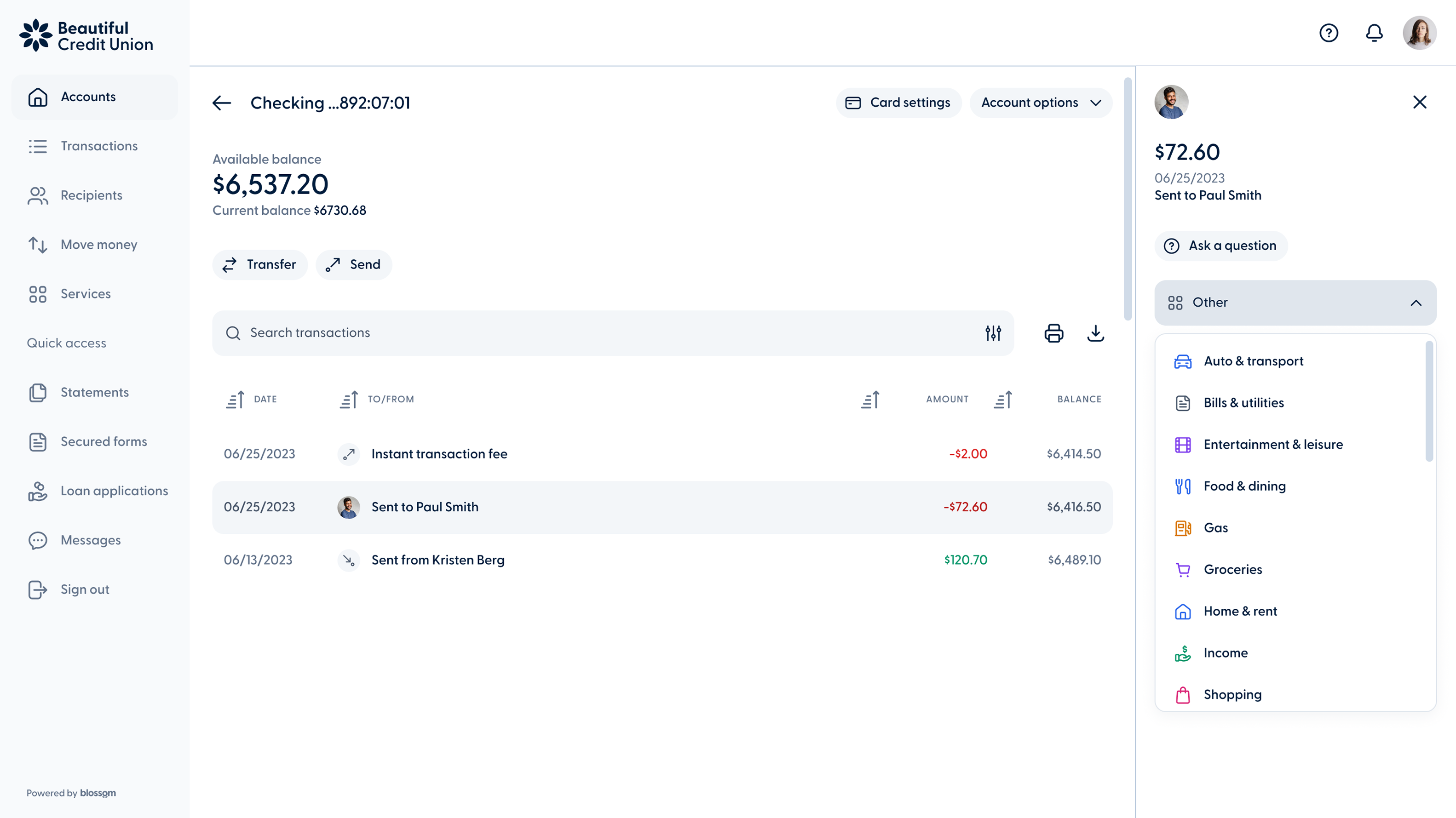
Transaction categories now have updated names and icons across Online Banking, providing a more consistent and polished experience for members when managing their finances.
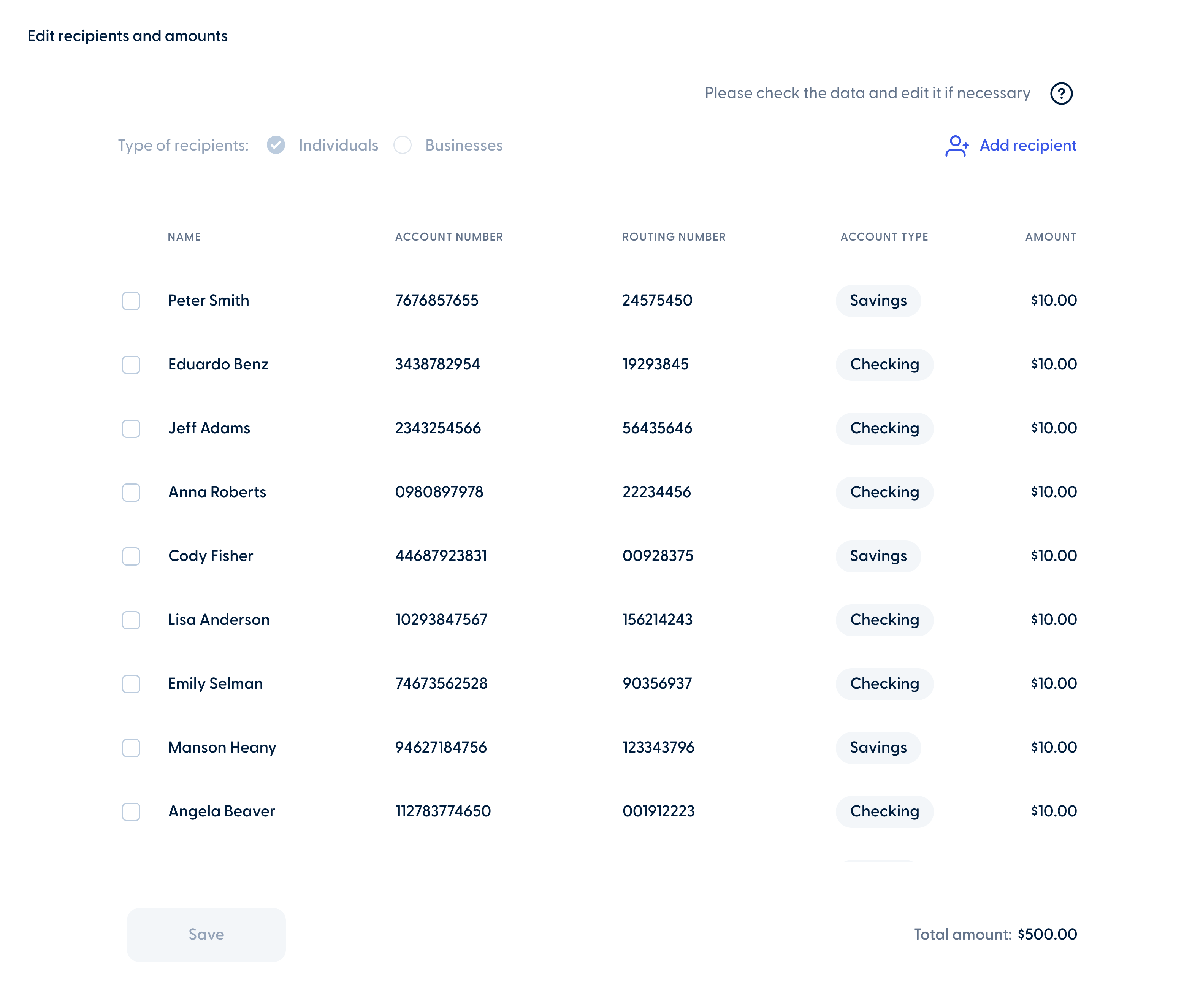
Business members can also edit their scheduled batch transactions directly from the activity section on the web banking experience. In addition to updating the start date, stop conditions, frequency, and notes, members can also manage recipients and amounts, including adding, editing, or removing them as needed.
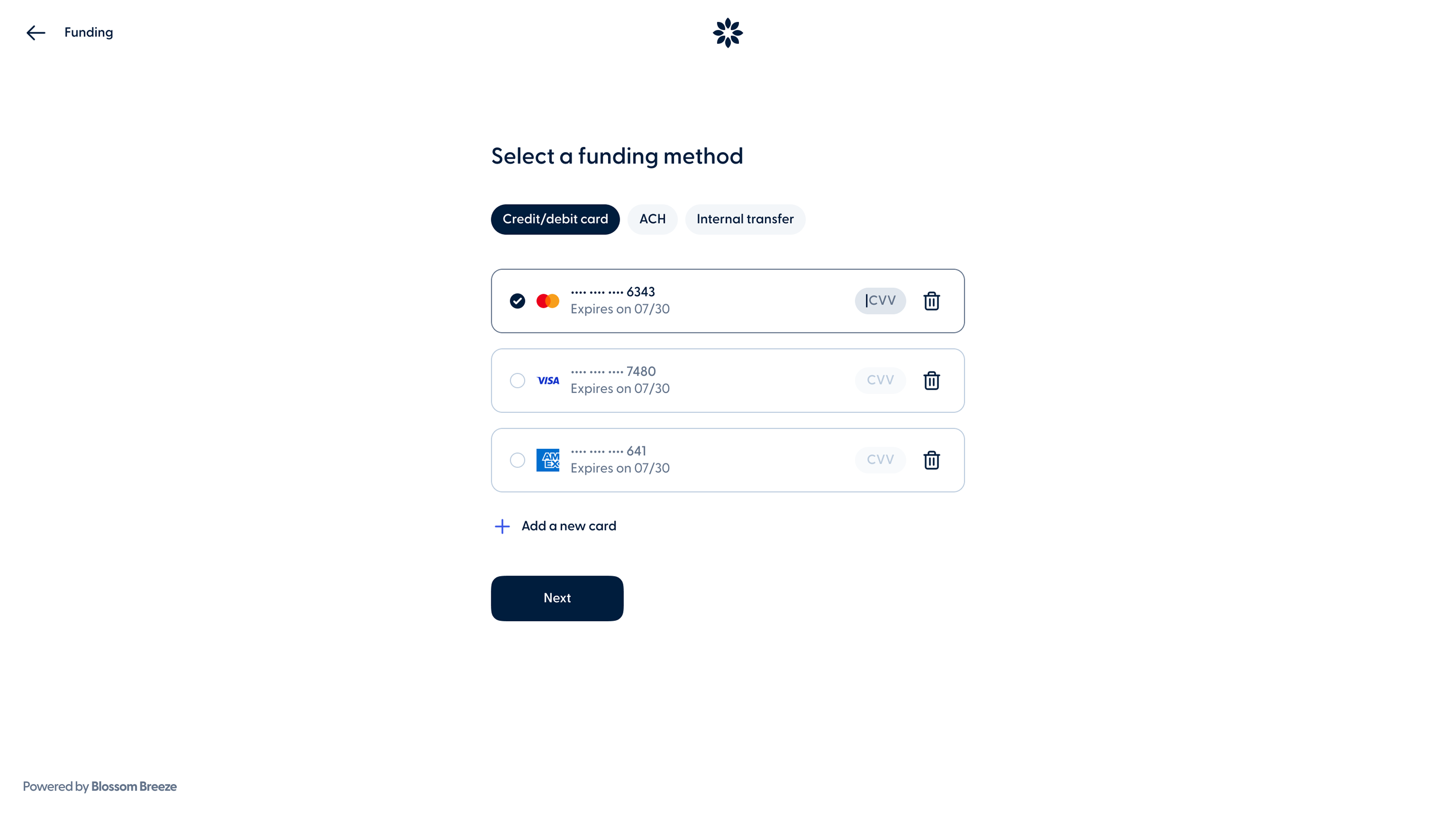
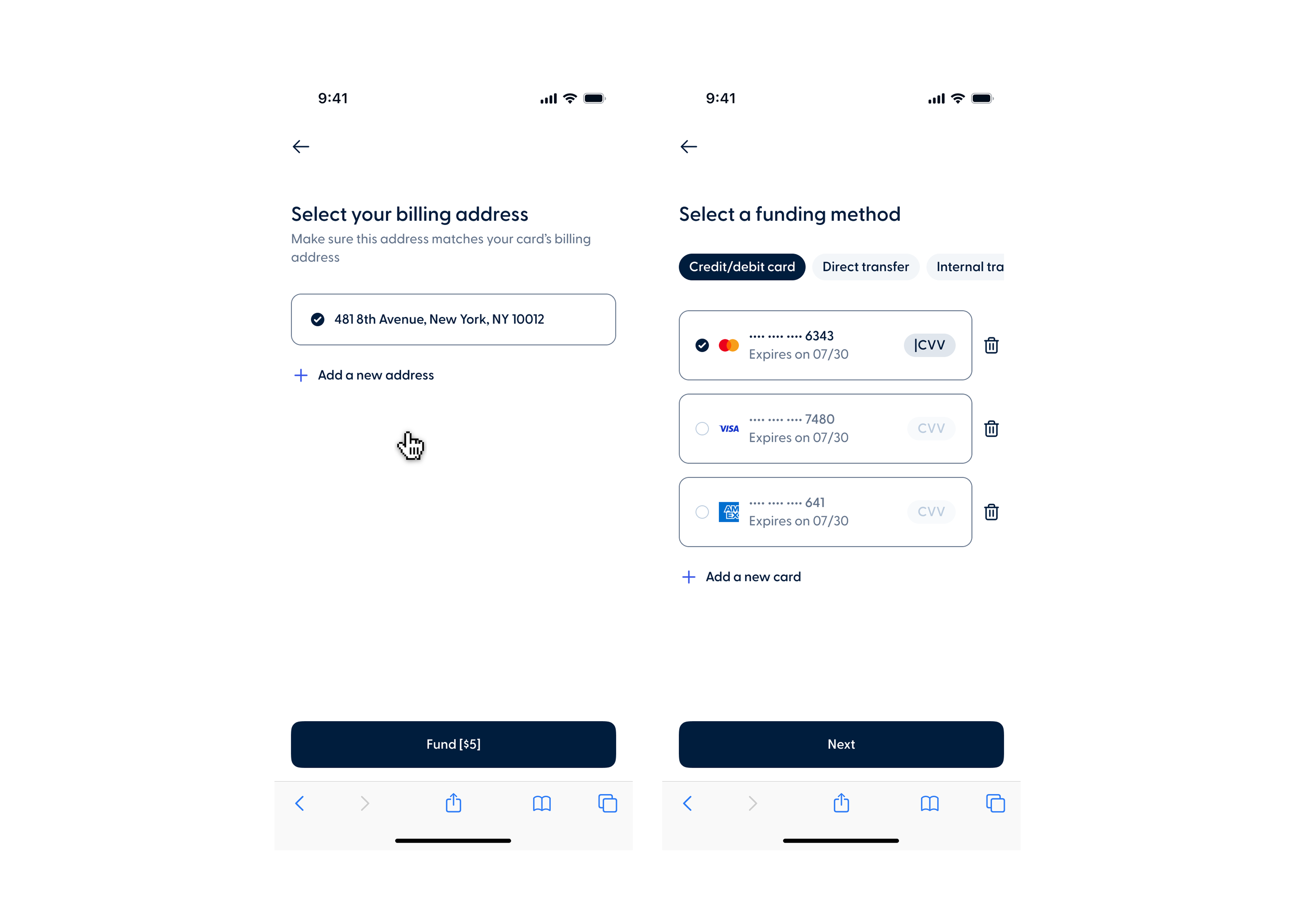
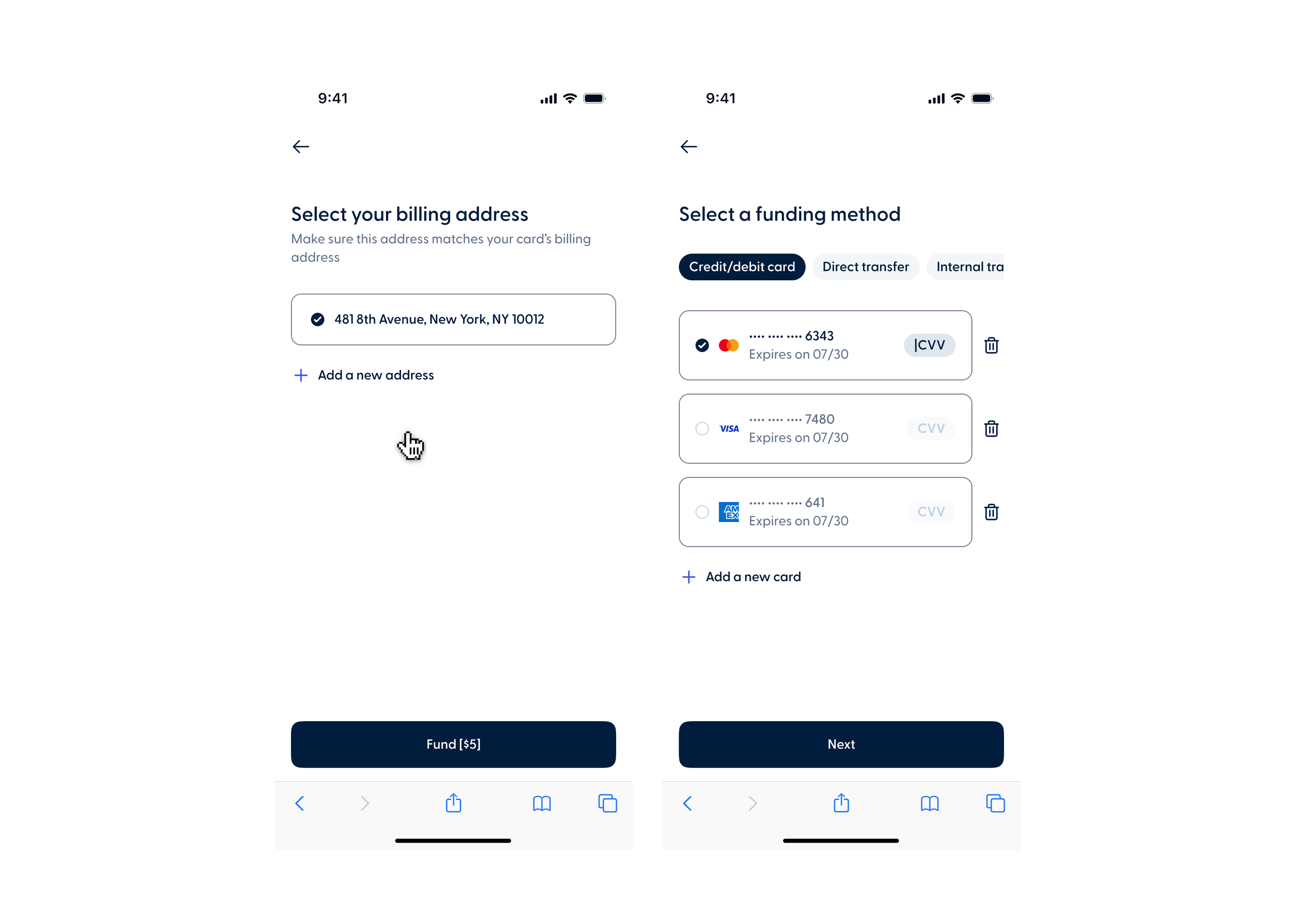
Members can now save a card during the funding process and select it on future applications without having to re-enter their details. A new billing address step also lets members choose the address used during their application or add a new one.
This update will be available on May 26th.
![Main Image - [Month]](https://48421219.fs1.hubspotusercontent-na1.net/hubfs/48421219/release%20notes%20images/May%202026/Main%20Image%20-%20%5BMonth%5D.png)