April 2025
Release Notes

Release 4.25
Release date: 04/08/2025

  • Rich
    New product

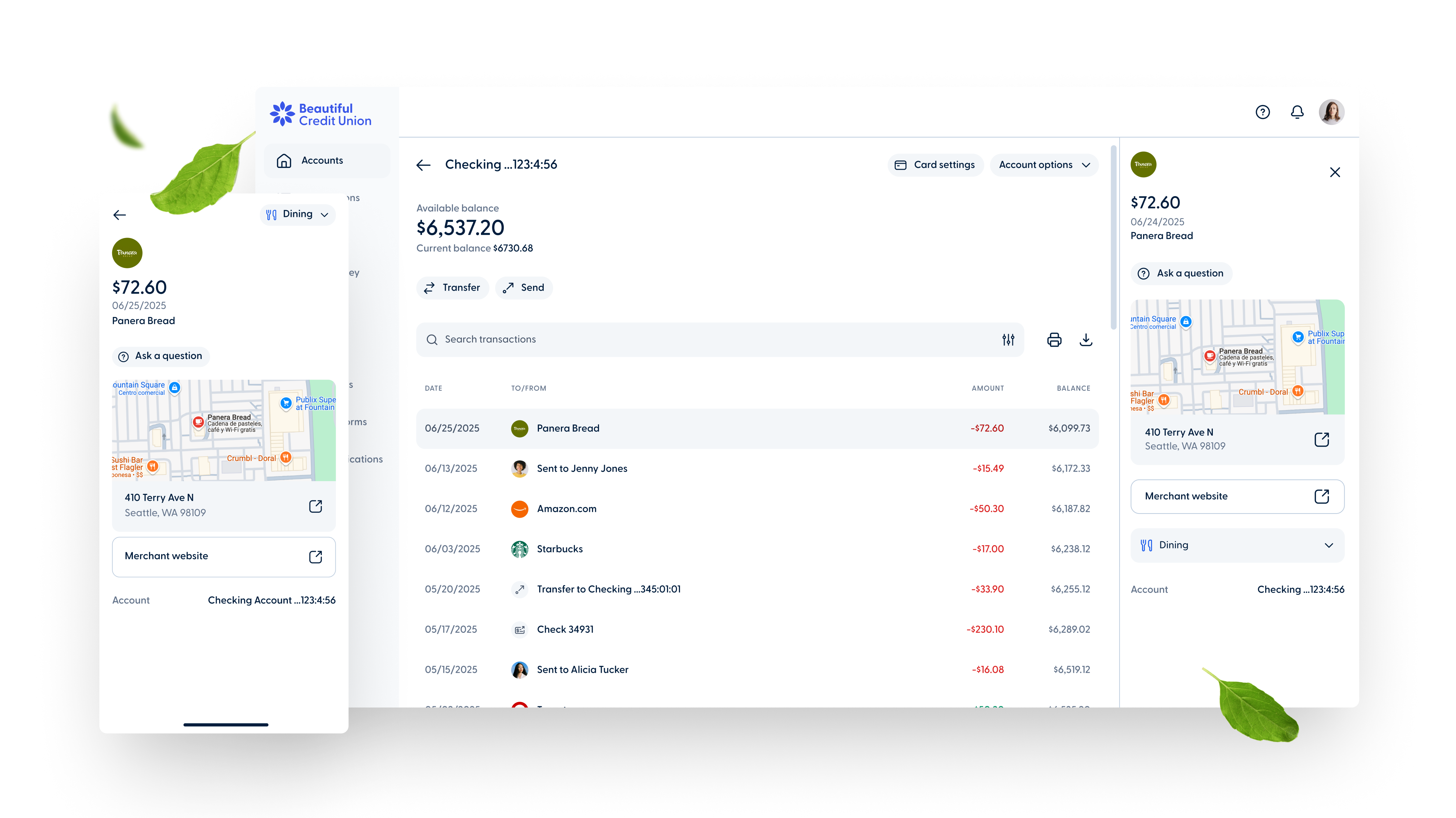
Transactions data enrichment

Give your members a clearer, detailed view of their transactions to help them recognize their purchases. With merchant name formatting, logos and the purchase location, they'll have more visibility into their spending. These updates improve transaction clarity and enhance the online banking experience for your members.
Let's talk
  • You Improved transfer process2

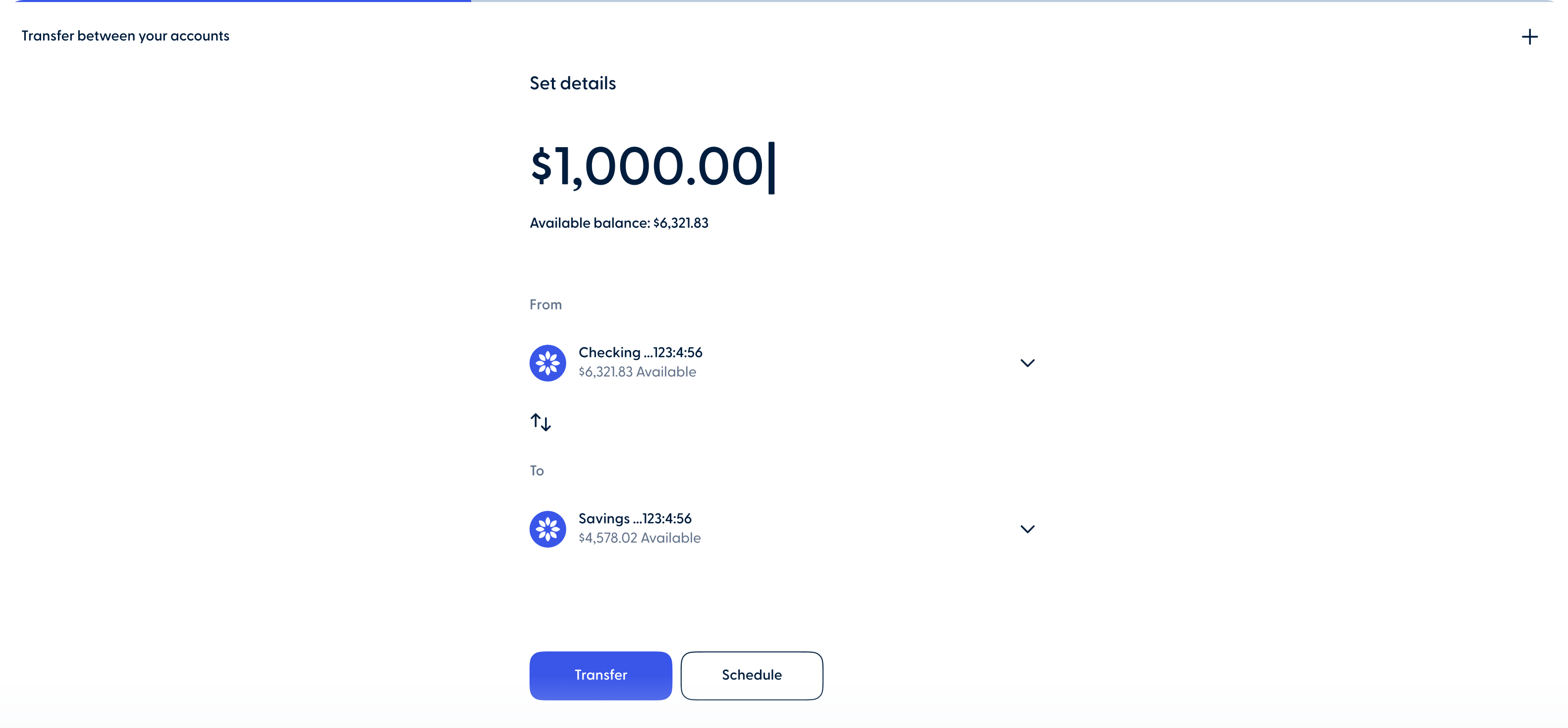
Improved transfer process

The web banking app now features an updated transfer process with a redesigned "From and To" screen for better account display. A new switch button makes it easier to toggle between accounts.

  • You 1 External accounts improvement 2
    Mobile
  • You 3 - External accounts improvement2
    Web

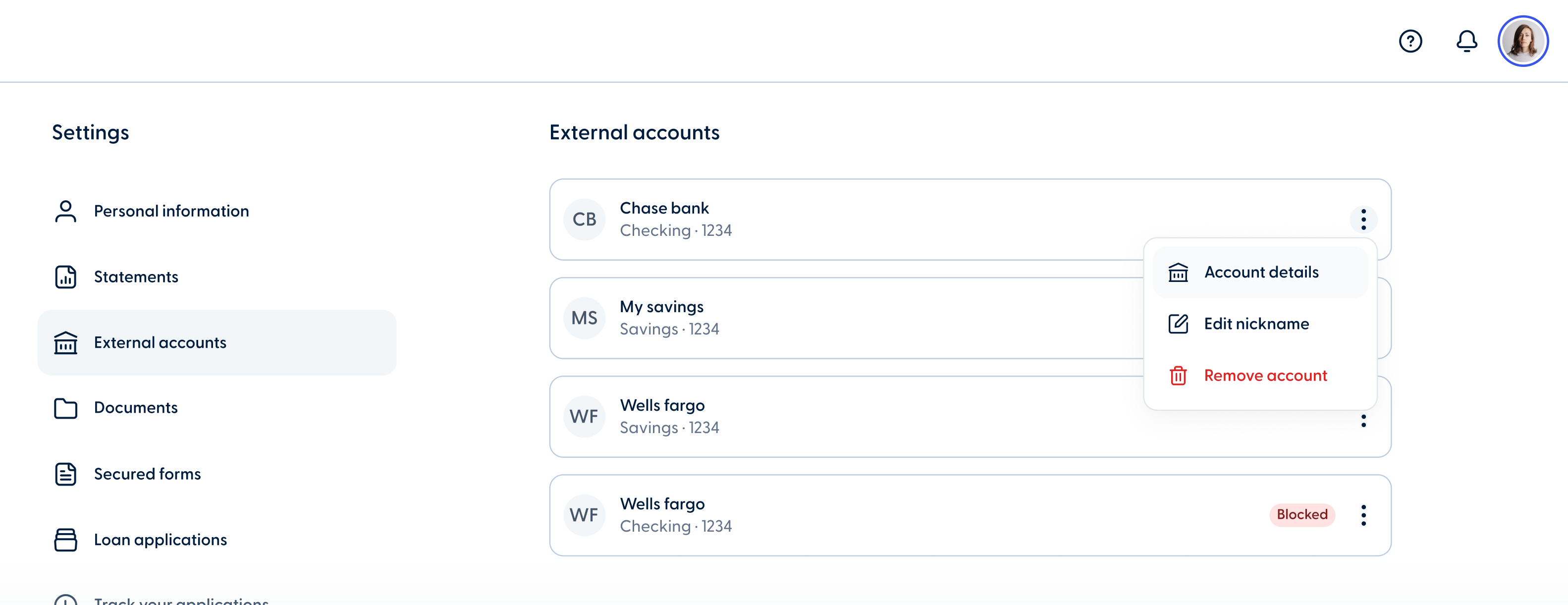
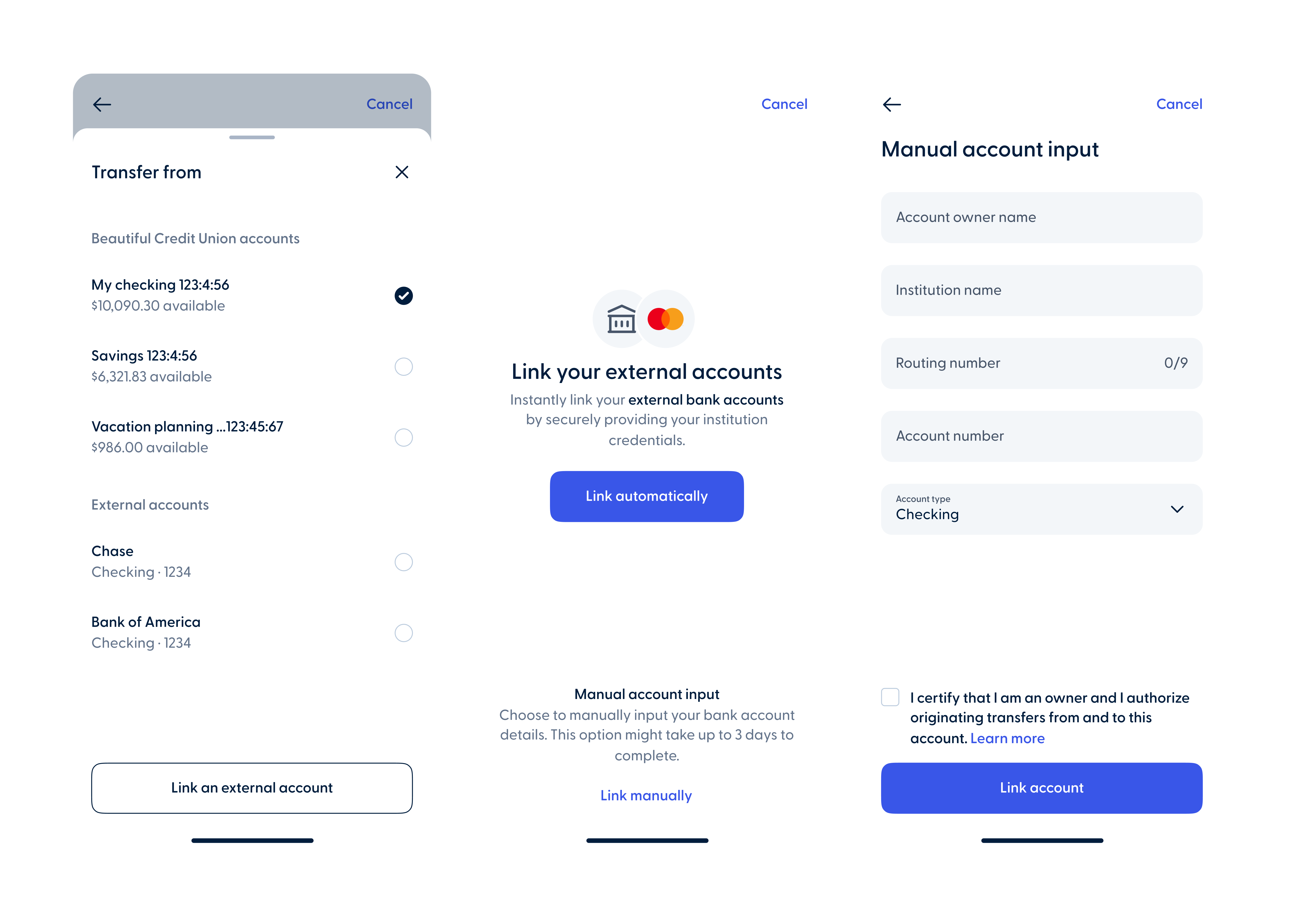
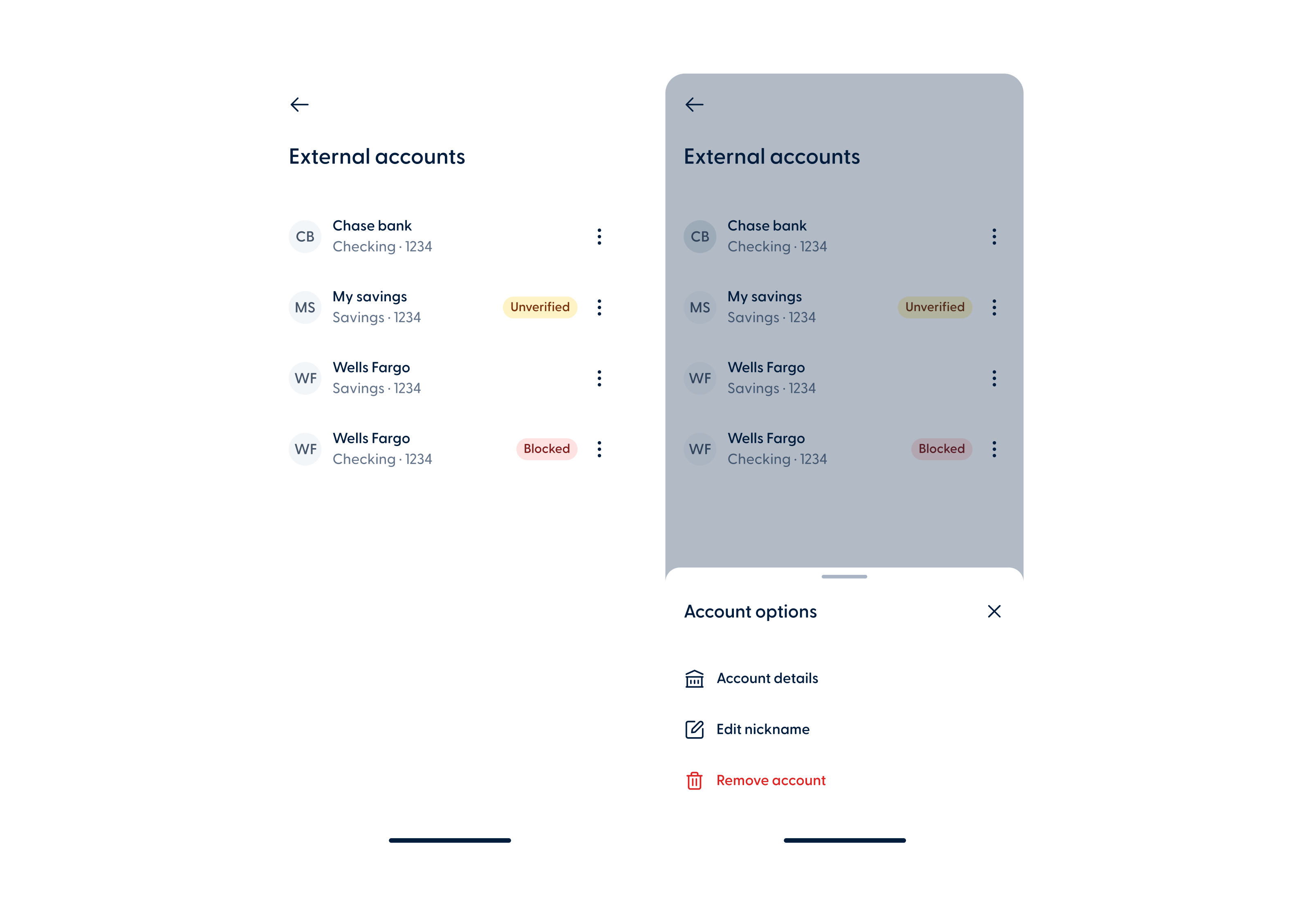
External accounts improvement

The external accounts in the settings module has been updated with a new design in the web and mobile banking app.

*This update will be available in the mobile app once the updated transfer process is re-enabled.

  • Unfreeze card update

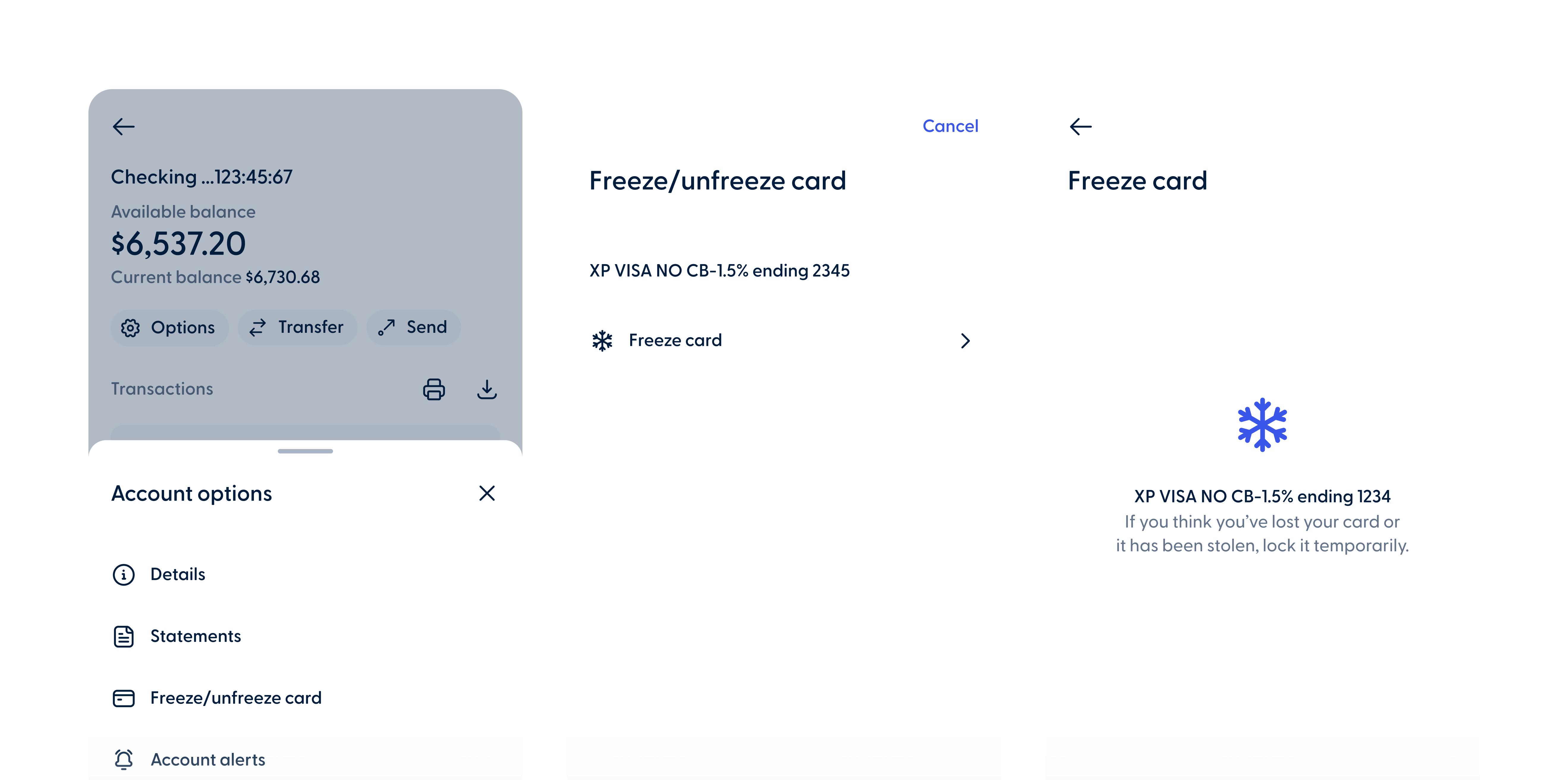
Freeze/Unfreeze card update 

Freeze and Unfreeze card has an updated design in the mobile banking app. 

  • You “Add Account” button improvement-2
    Mobile

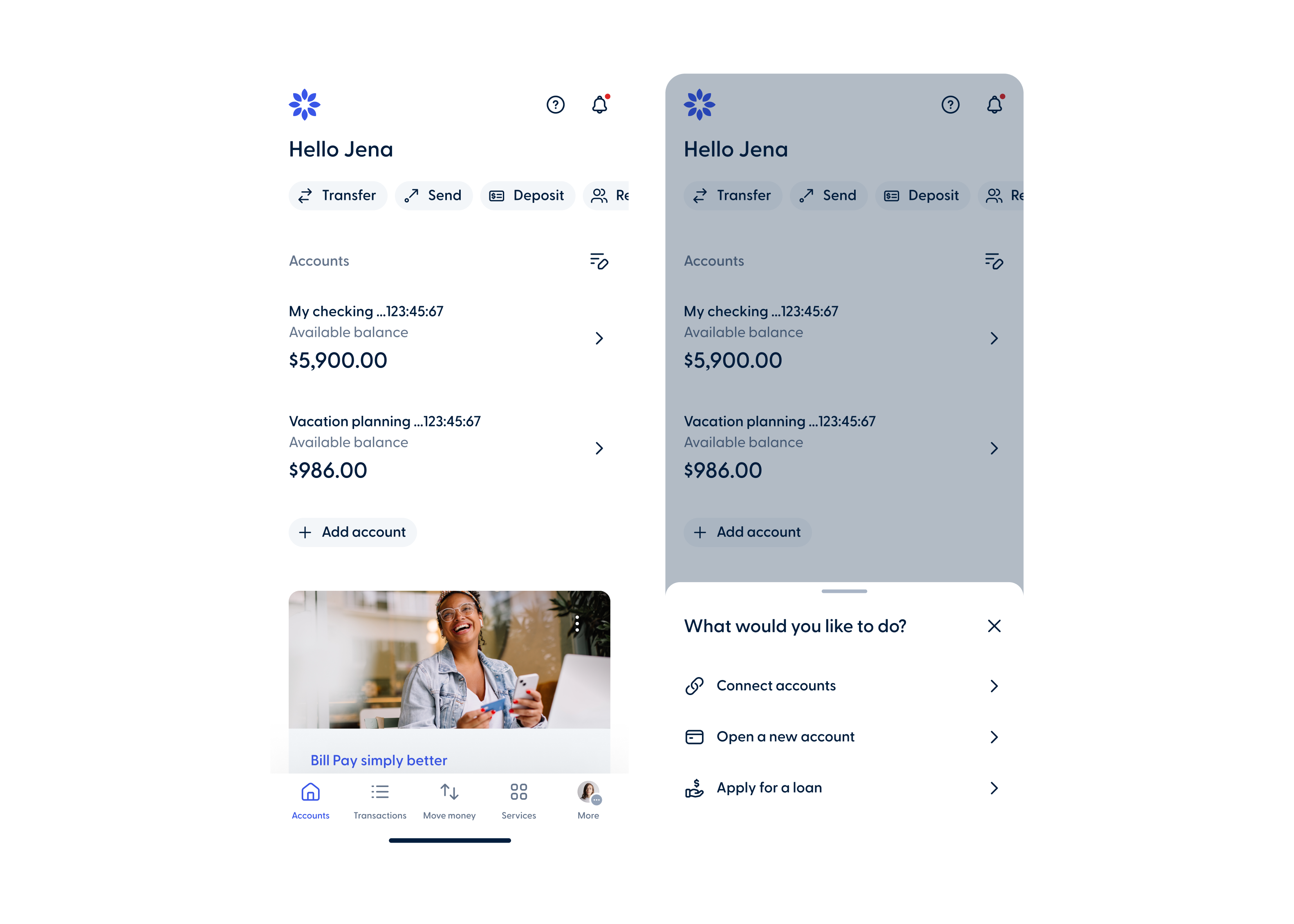
“Add Account” button improvement

The “Add Account” button and menu on the homepage have been improved in the mobile banking app.

  • You “Add Account” button improvement-1
    Web

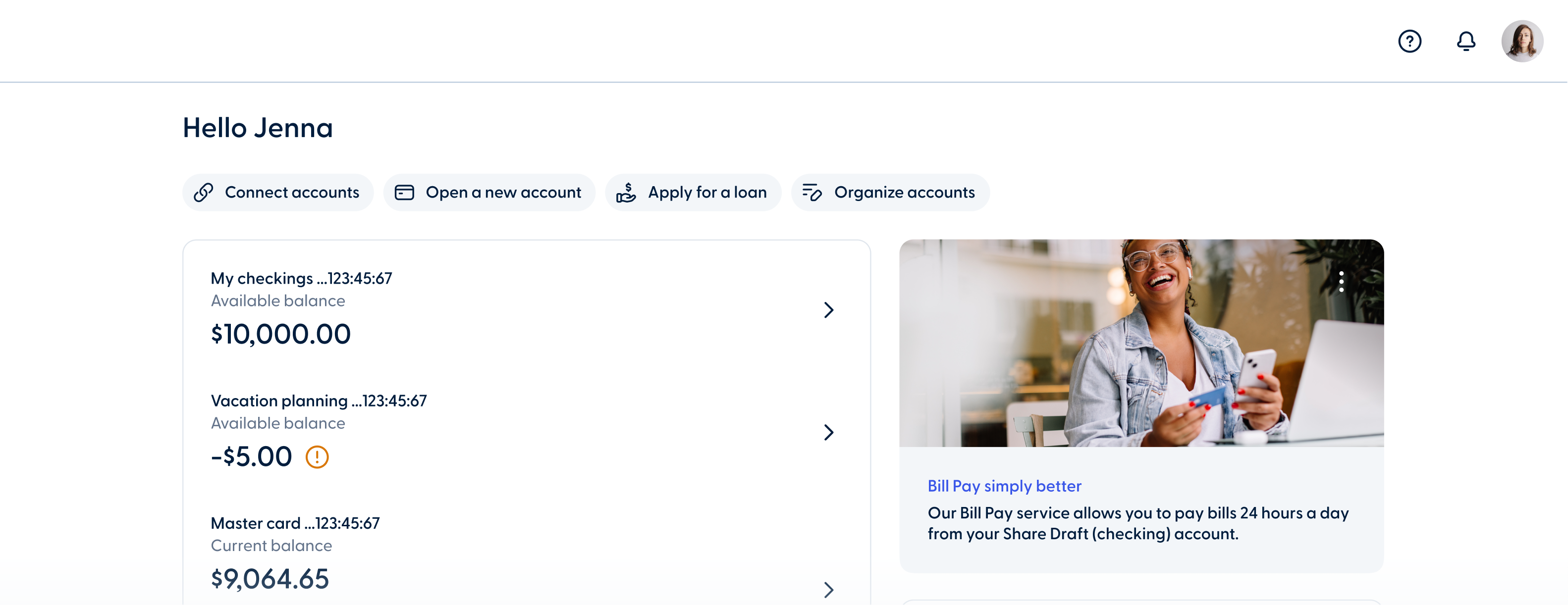
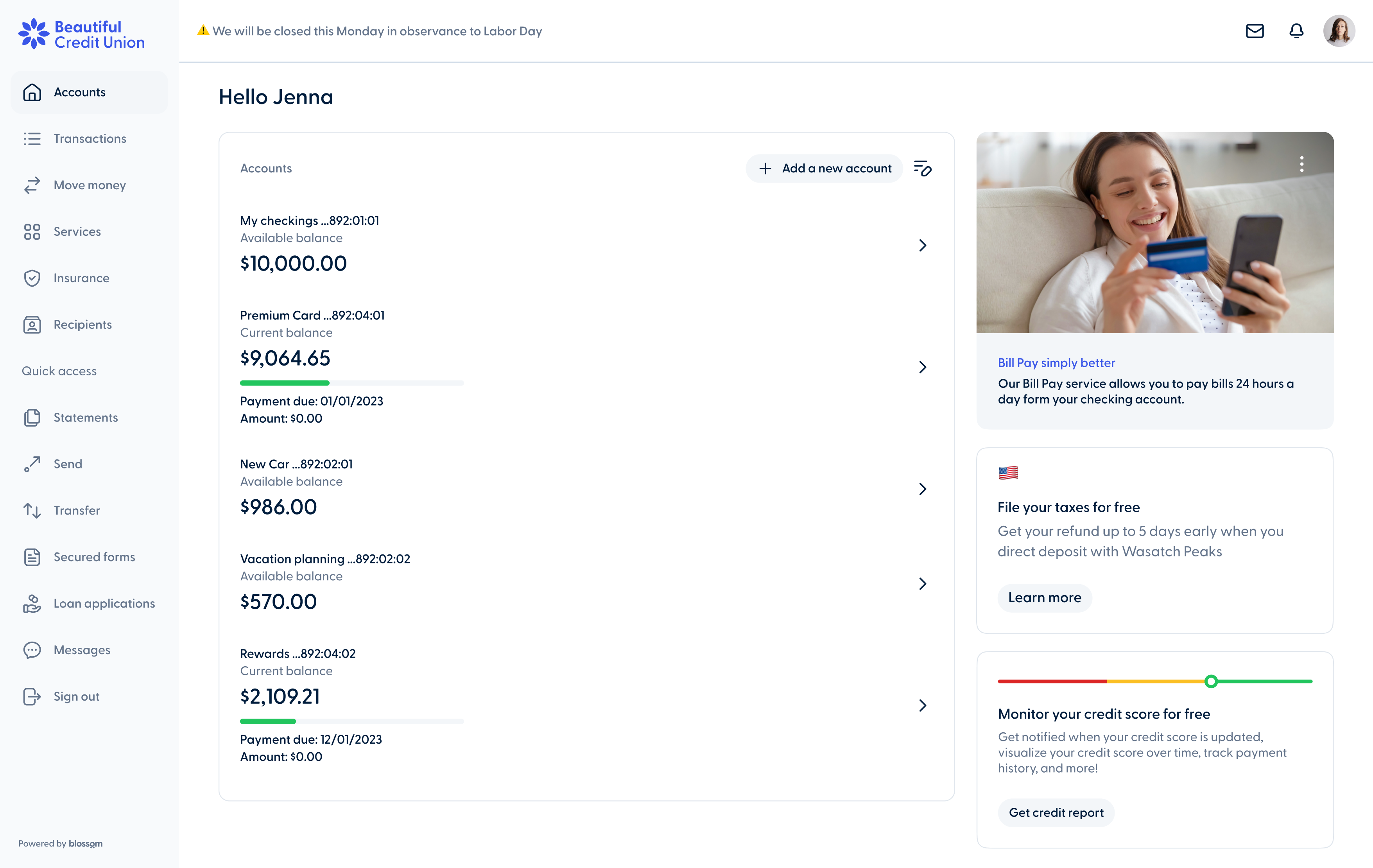
“Add Account” button improvement

In the web banking app, members can now find the “Add Account” menu options in the chip bar at the top of the homepage as “Connect Accounts,” “Open a New Account,” and “Apply for a Loan.”

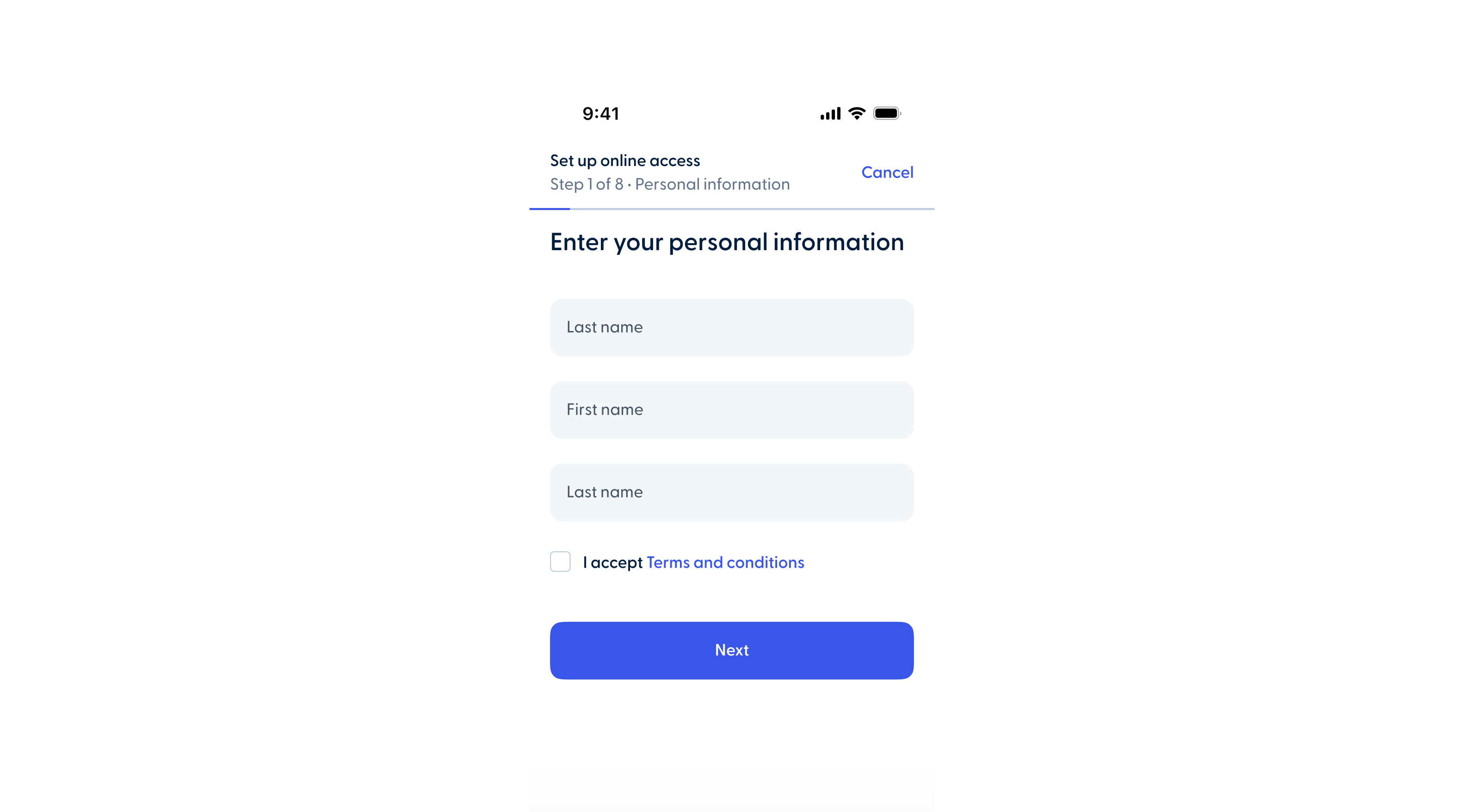
  • Signup process
    Mobile

Improved signup process

The online signup process has been updated with a new design in the mobile banking app.

Released on
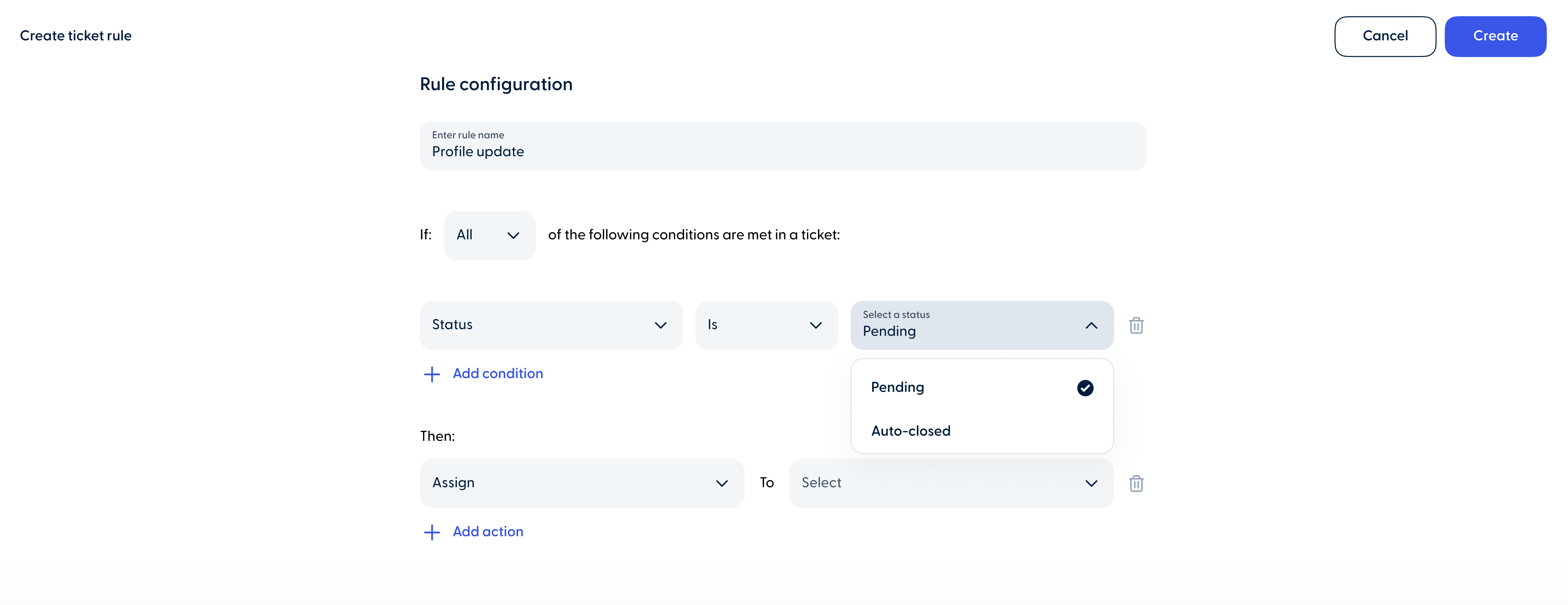
  • You New ticket status condition for rules

New ticket status condition for rules

Admins can now add ticket status as a condition when setting up a rule. The available statuses are “Pending” and “Autoclosed.”

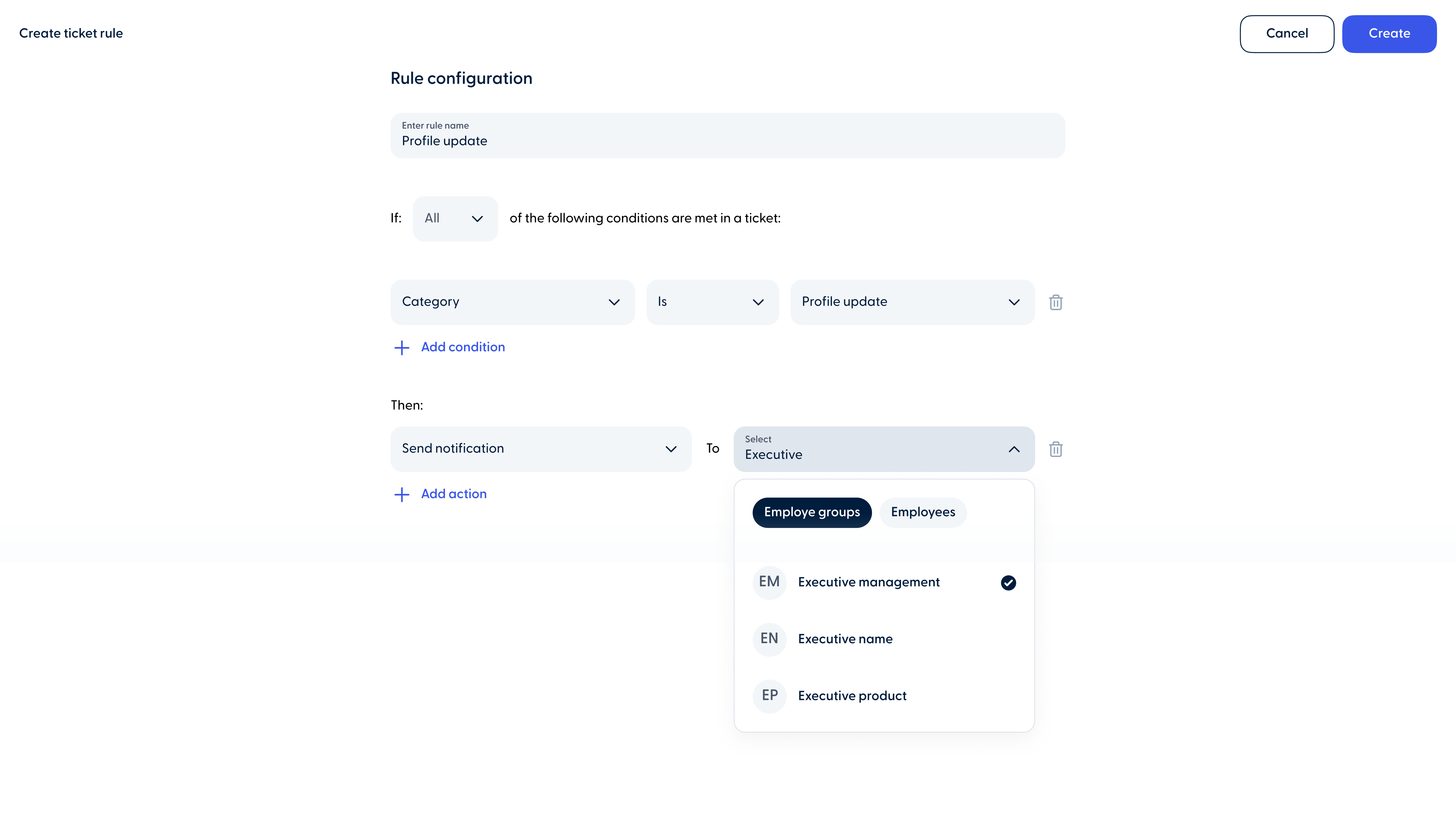
  • You Send notifications to groups in ticket rules

Send notifications to groups in ticket rules

Admins can now select groups as recipients when setting up the “Send Notification” action in ticket rules. 

Notifications sent through ticket rules are independent of role-based notifications. If a rule is created to send a notification to a person or group, they will receive it for that specific rule, regardless of their role-based notification settings.

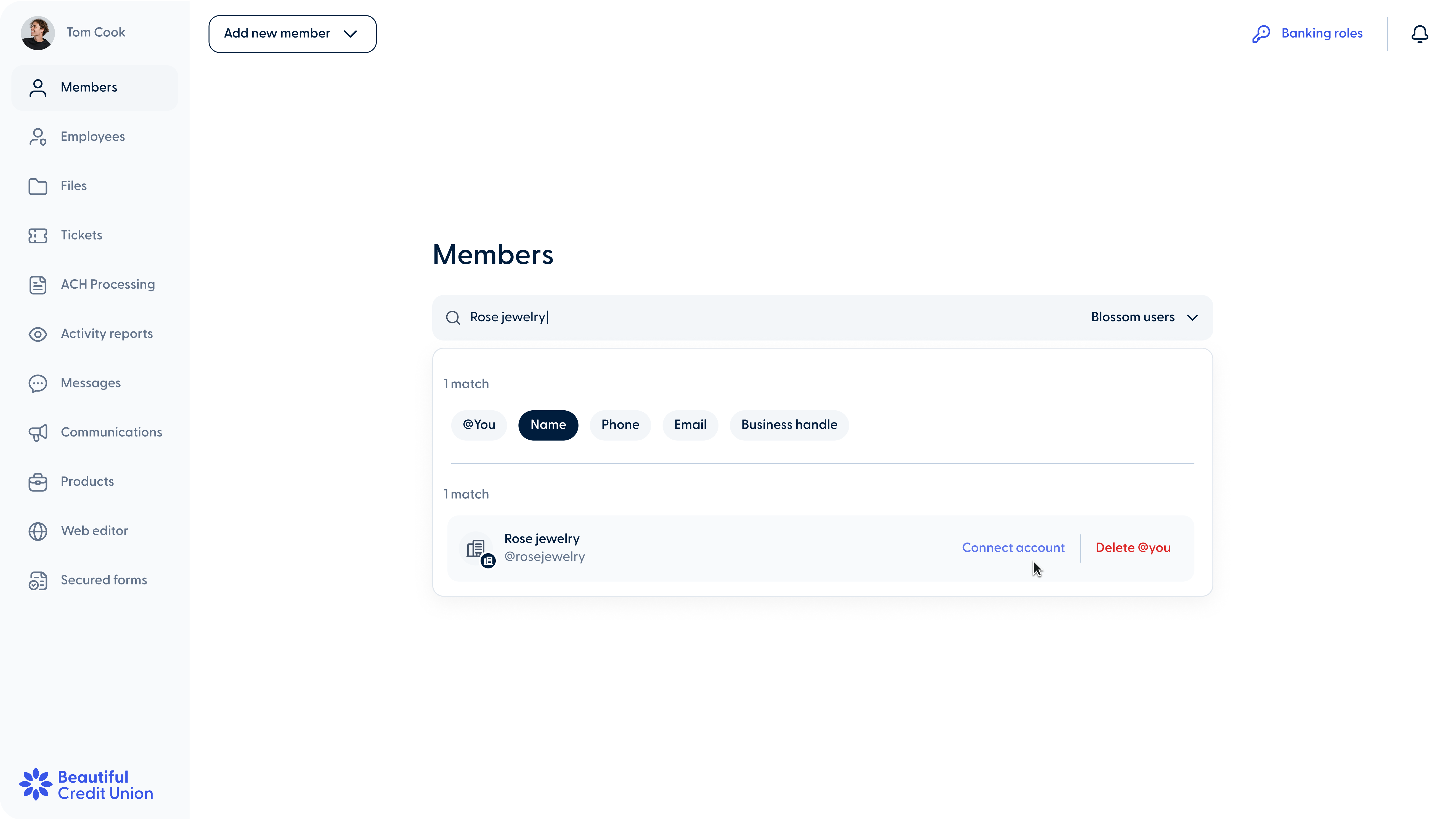
  • You Filter by “Name” when searching Blossom Users

Filter by “Name” when searching Blossom Users

Employees can now search for members using the “Name” filter when selecting Blossom users. All filters have been updated to support full-match searches, meaning the entire name, phone number, or search criteria must be entered to display results.

Other improvements

Improved notification for canceled scheduled transactions

The notification sent to business and personal members when a scheduled transaction is canceled has been updated to provide clearer and more consistent information.

  • Biz Custom names for batch transactions
  • Biz 1 Custom names for batch transactions-1

Custom names for batch transactions

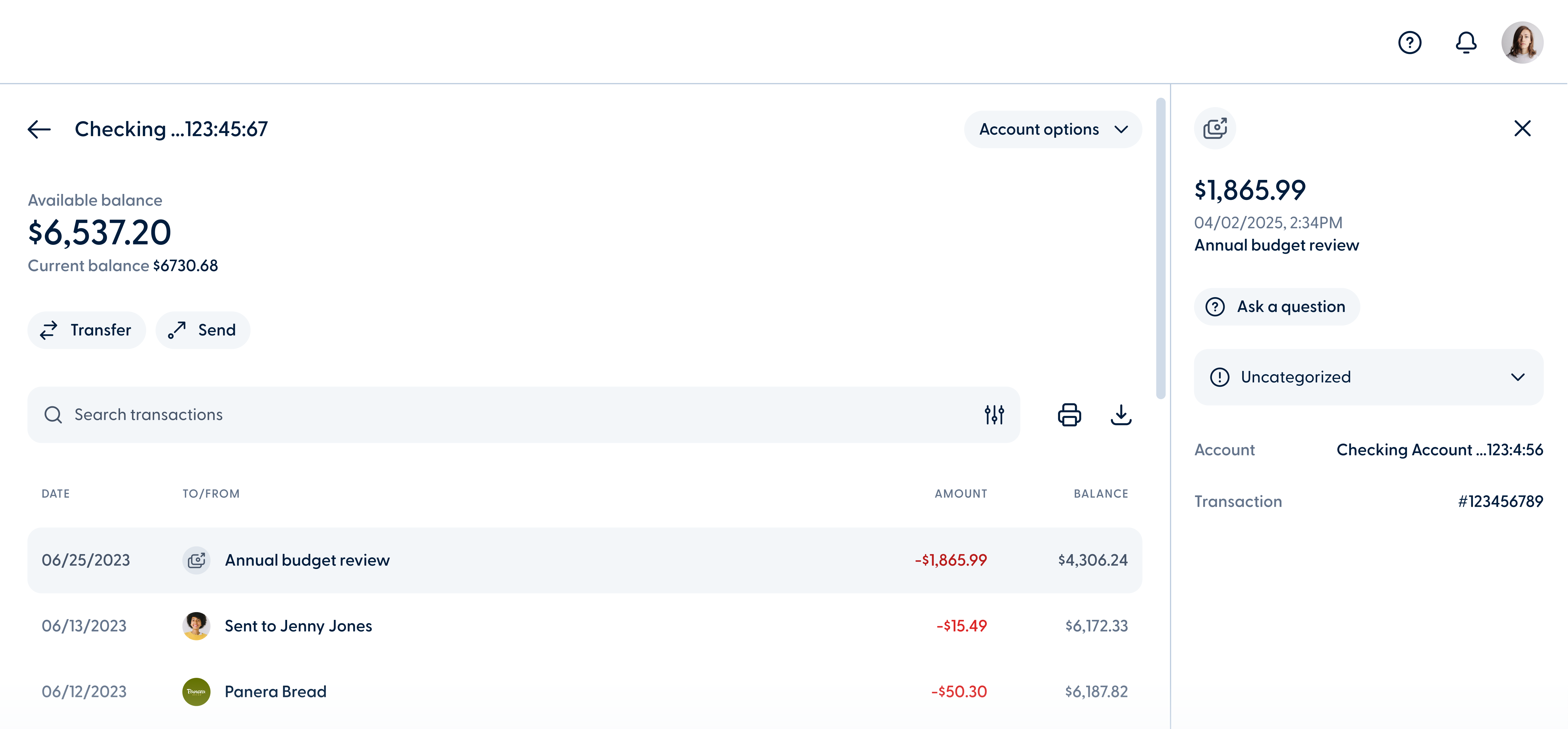
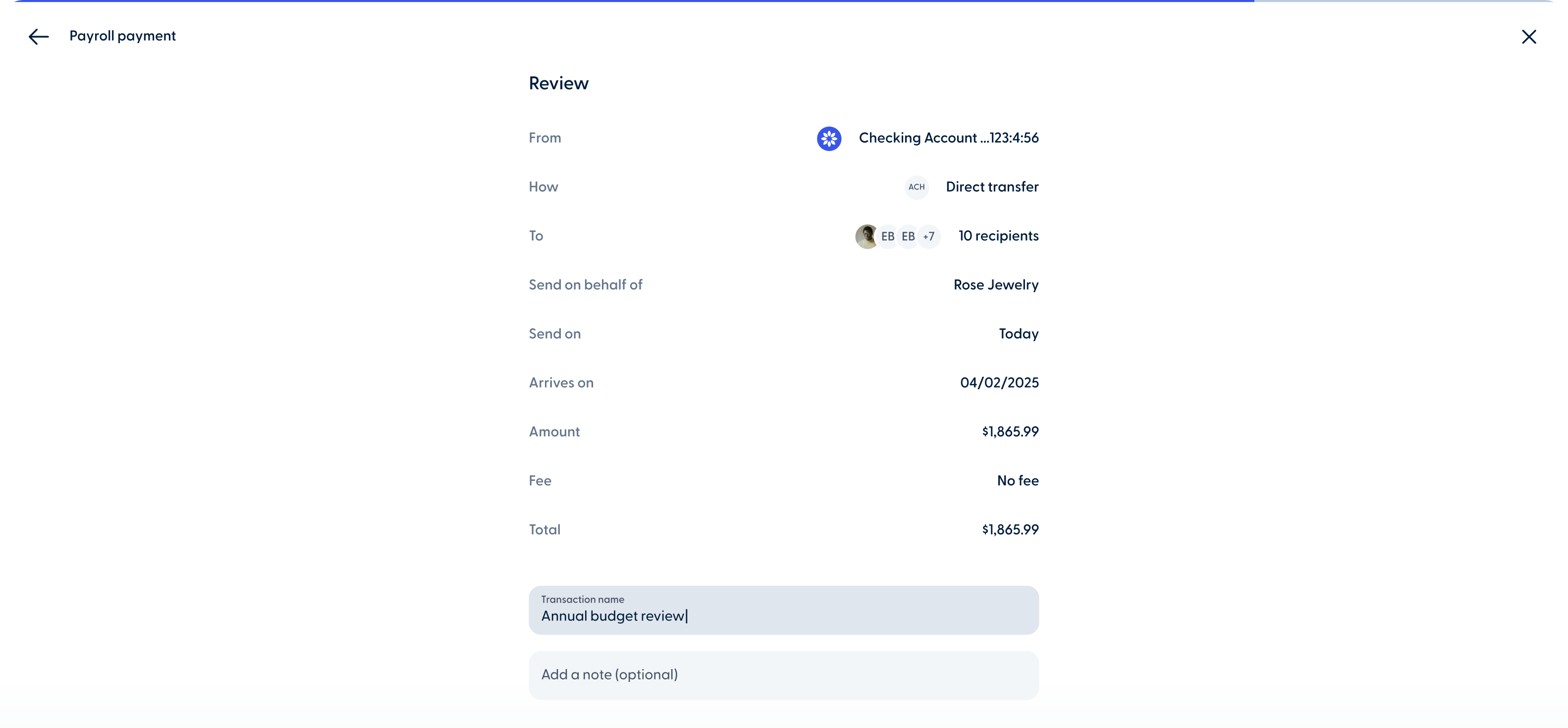
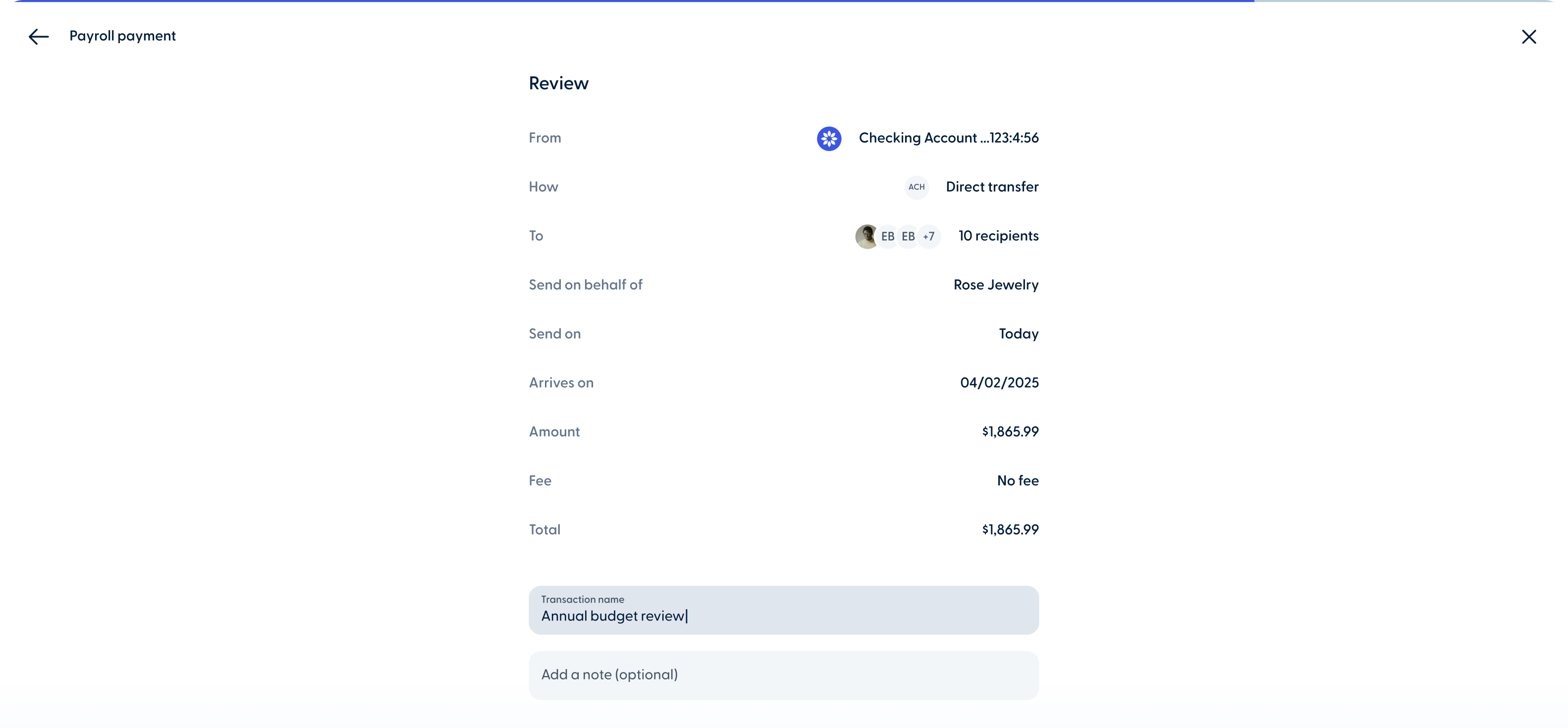
Business members can now assign custom names to batch transactions, such as payroll payments, send to multiple, and collect from multiple during the transaction process. The custom name will appear in the transaction history once the transaction is completed.

Released on
  • Biz New account permission labels in Business Teams

New account permission labels in Business Teams

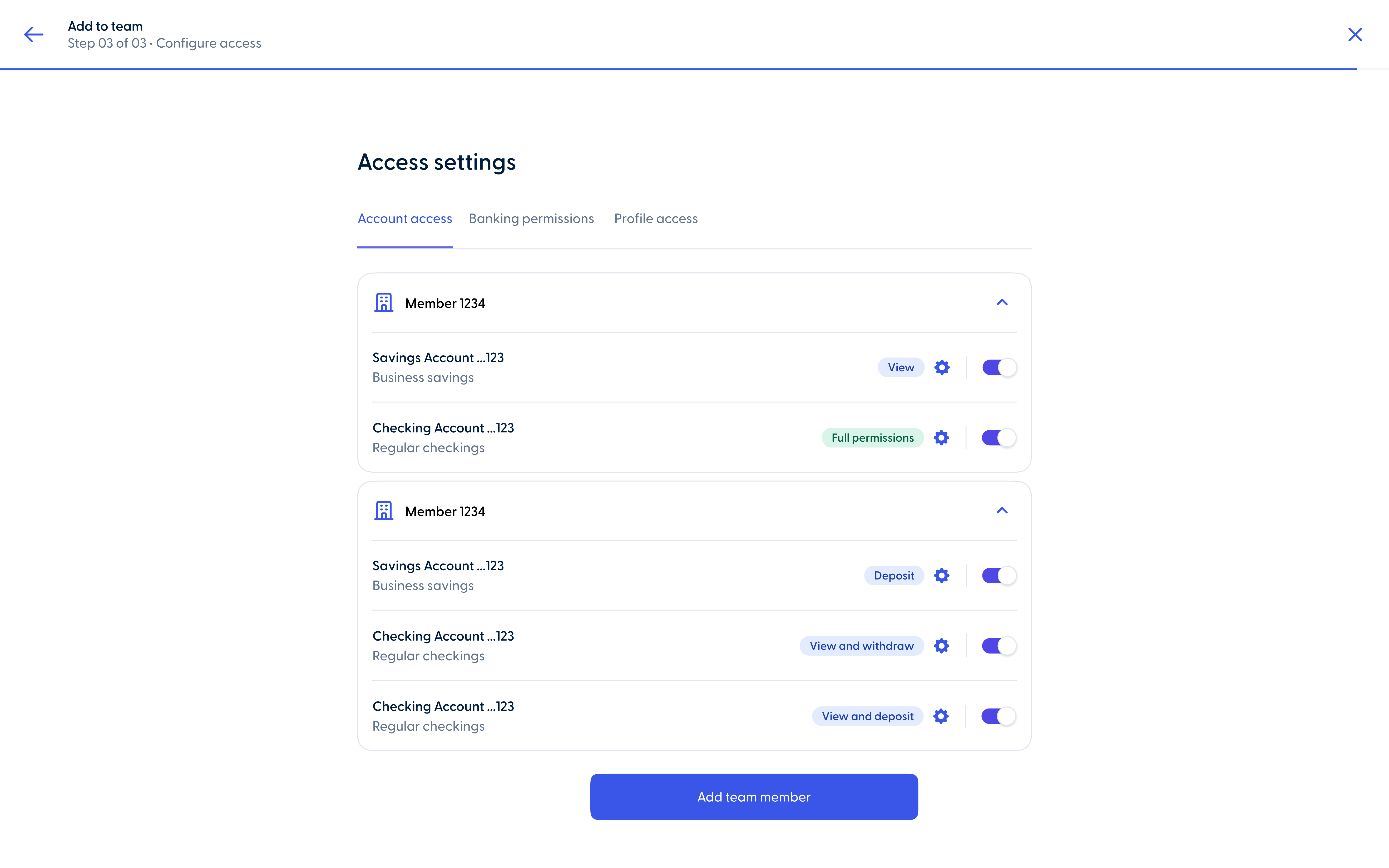
Admins can now find “View”, “Deposit”, and “Withdrawal” permission labels in the Account Access tab for each business team member.

  • Release image
Blossom logo footer

© 2026 Blossom.