July 2026
Release Notes

Release 07.26
Release date: 07/14/2026

  • You - Mobile - Dark appearance
    You - Mobile

Dark mode now available on Mobile

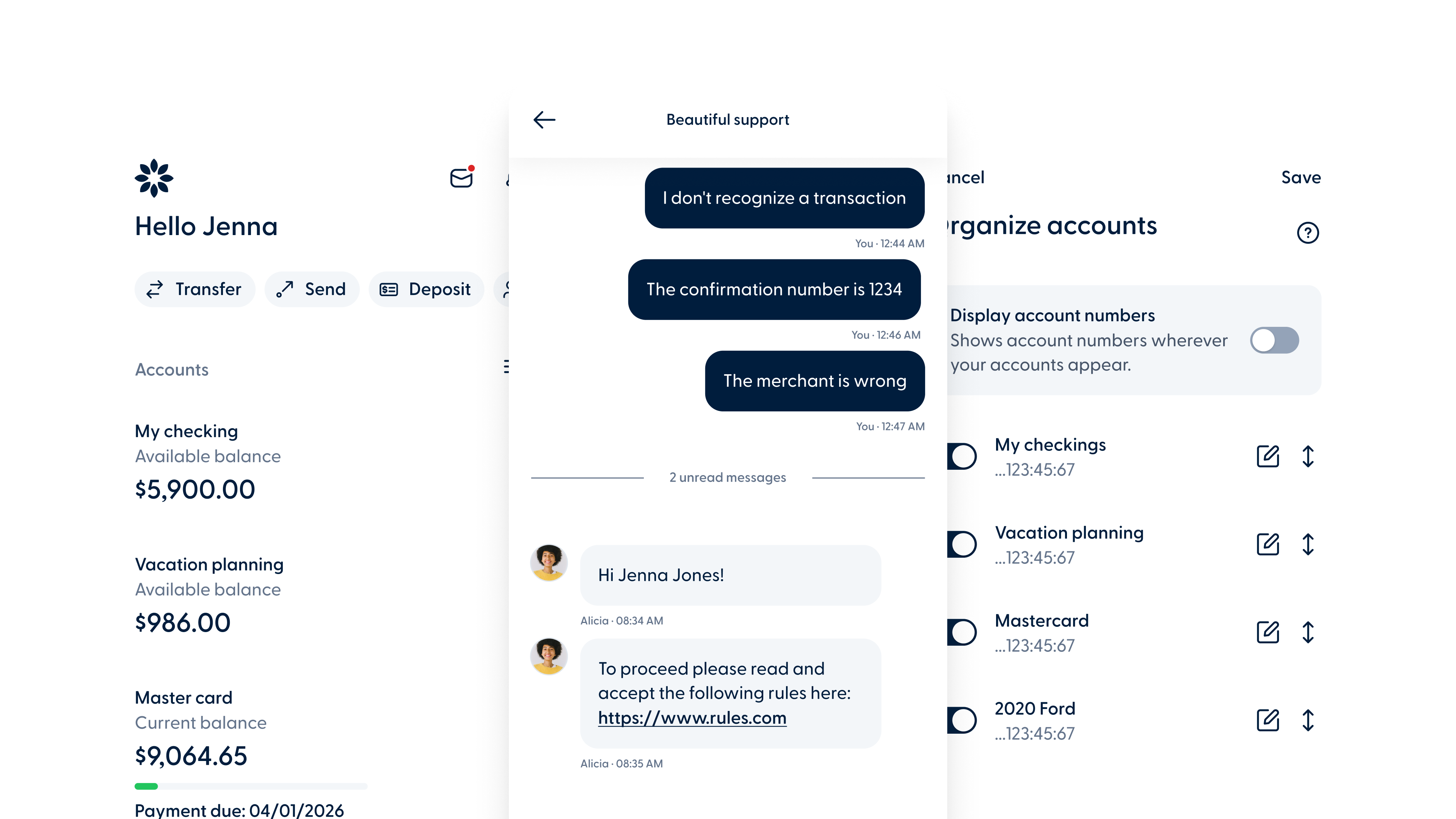
Members can now switch between light, dark, and system default themes from the Appearance option in the Settings section. The selected preference automatically syncs across Mobile and Desktop, so changes made on one platform are reflected on the other.
  • Image
    You - Mobile
  • You - Desktop - Negative Alerts
    You - Desktop

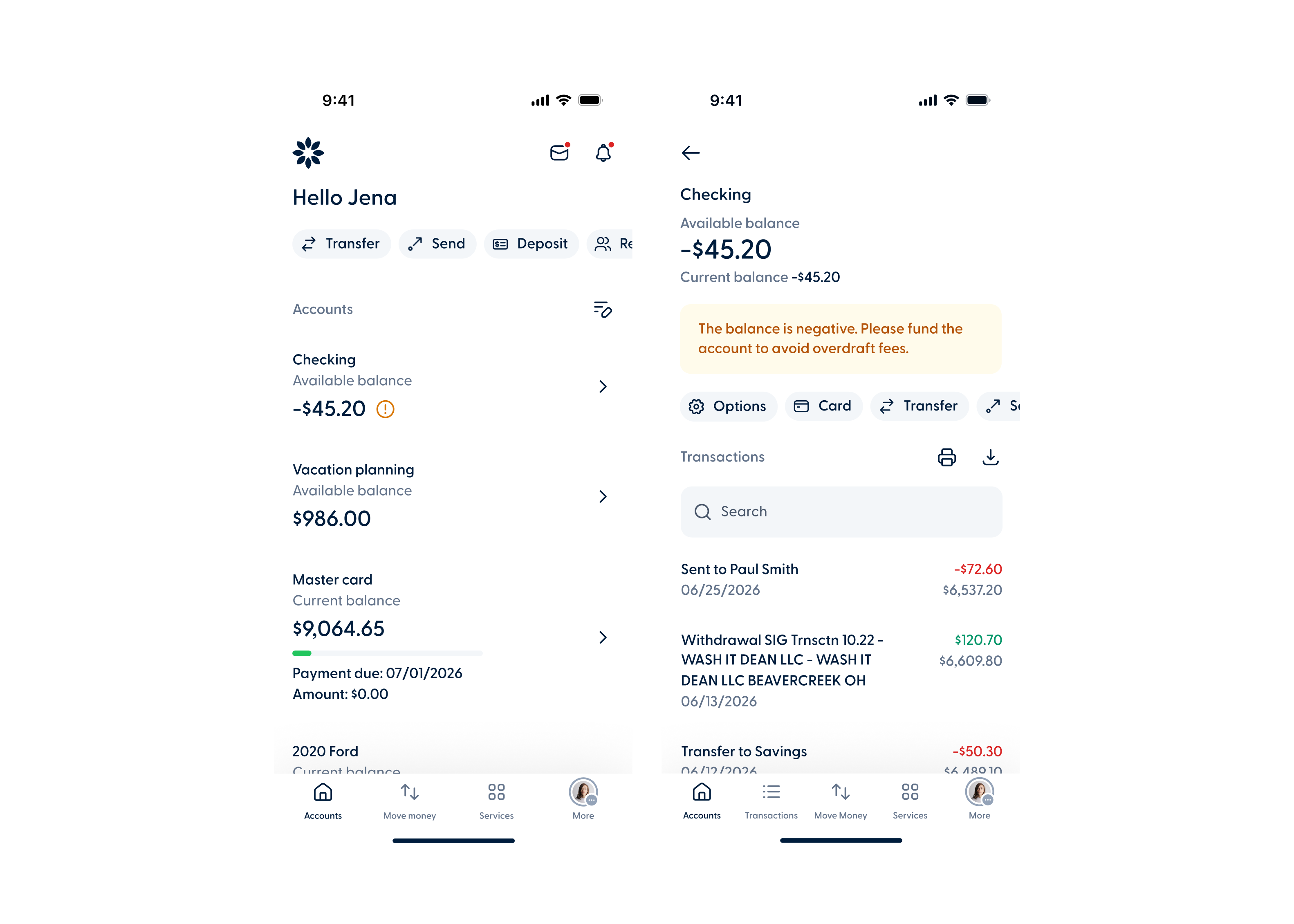
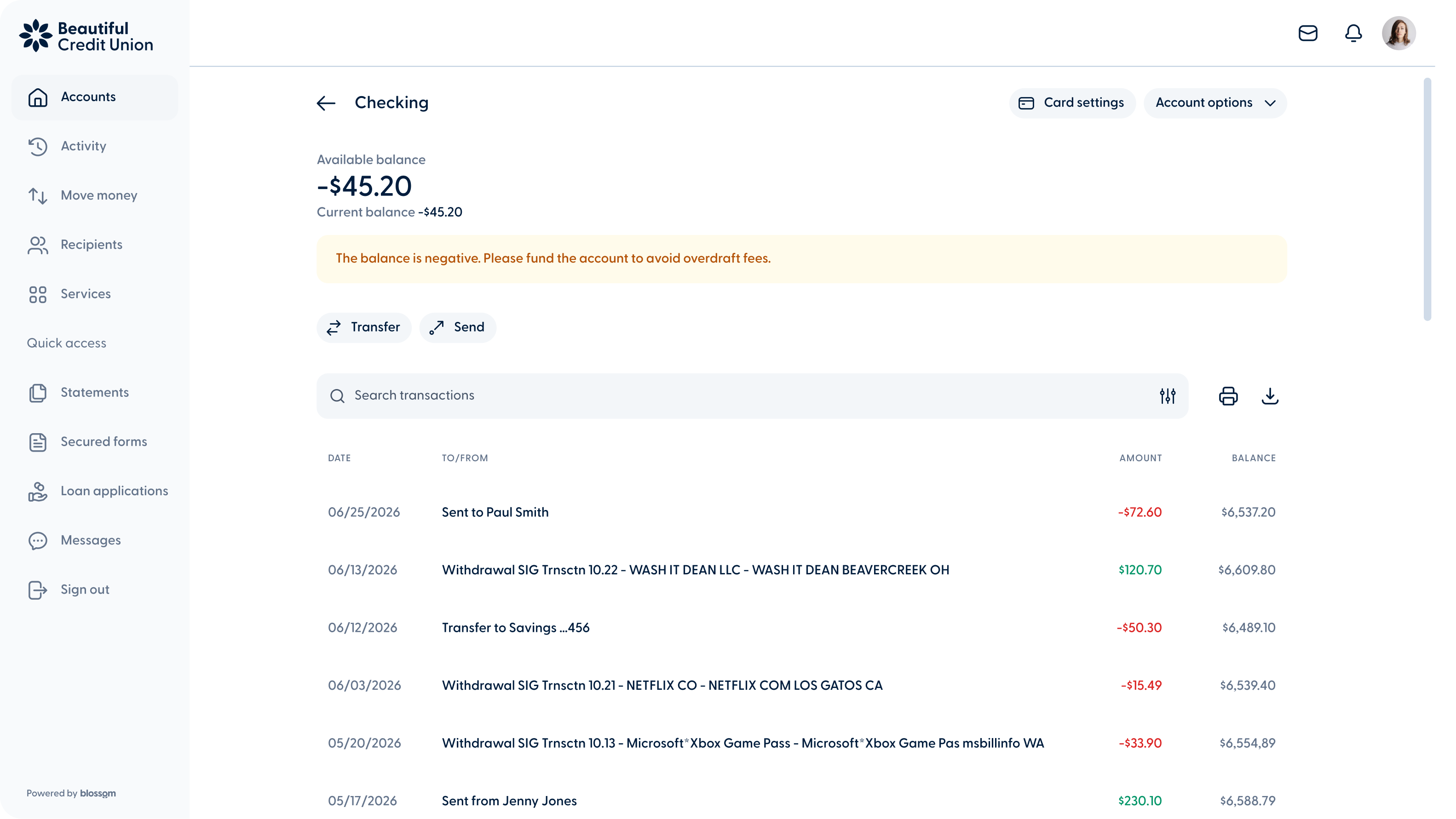
Improved negative balance alerts

The negative balance alert has been updated. It now triggers based on the current balance instead of the available balance, ensuring members are only notified when their account has a negative balance.

To be released on
  • Images (3)
  • Released in Magic - Product Configuration

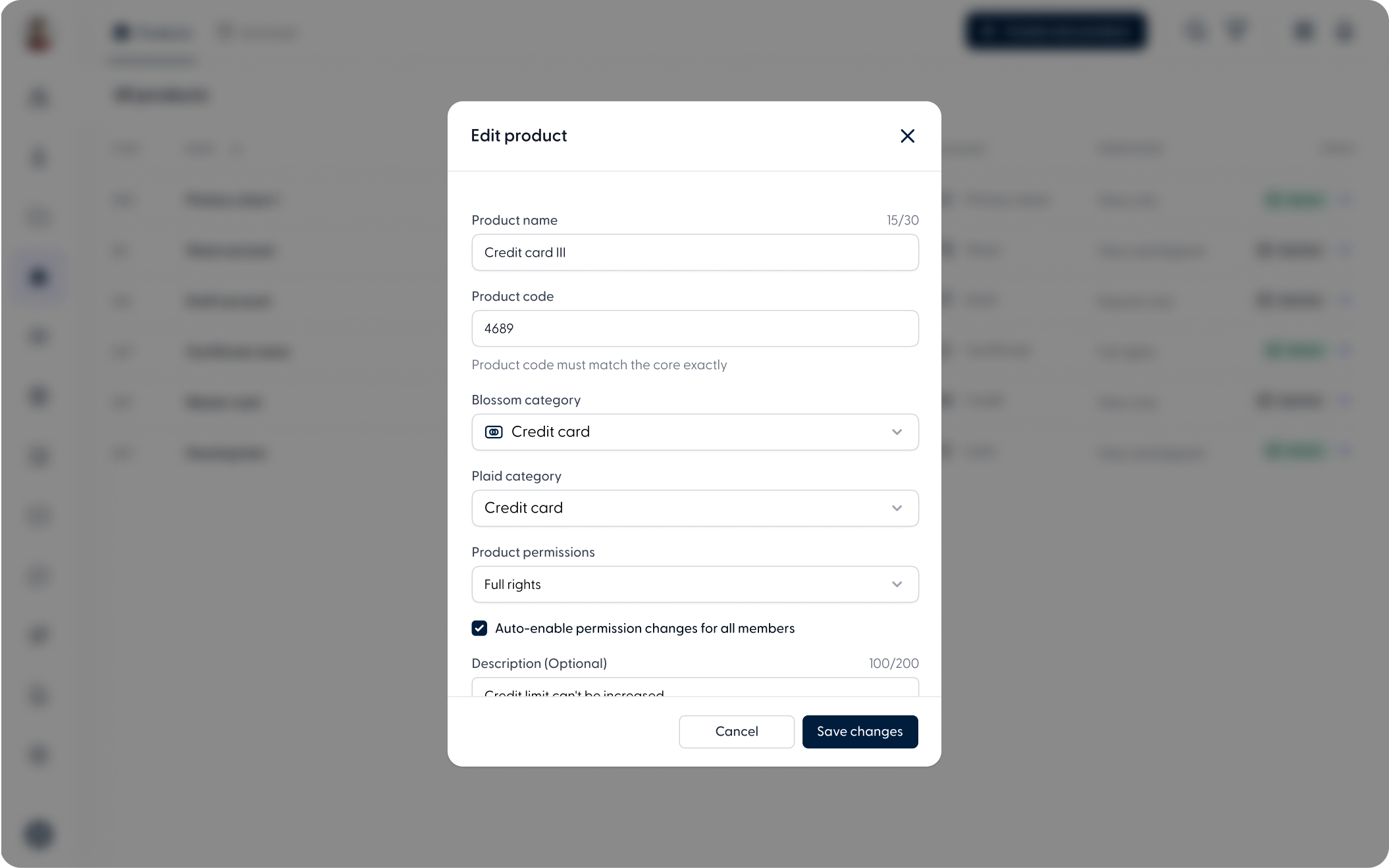
New "View and withdrawal" product permission

A new permission type is now available in product configuration: View and withdrawal. This allows accounts to have view and withdrawal access, while restricting deposit transactions. 

When updating an existing product, administrators can select a checkbox to apply the new permission to all current members. If enabled, the permission will be automatically granted to all accounts associated with that financial product. This is a critical action. Review and confirm carefully before saving.

Other improvements


Suspended profile screen redesign
When a member's access is temporarily suspended, they will now see a refreshed screen with an updated icon, typography, and layout. Members with both a personal and a business profile will see their available profiles listed directly on the screen, making it easy to switch to an active one without signing out.


Team, Subsidiaries, Stop a Payment, and Shared Business modules redesign
These modules have been updated with a refreshed design, aligning them with the visual style already used across the rest of the platform for a more consistent and modern look.

  • Breeze - Product Config - Bankruptcy
    Breeze - Desktop

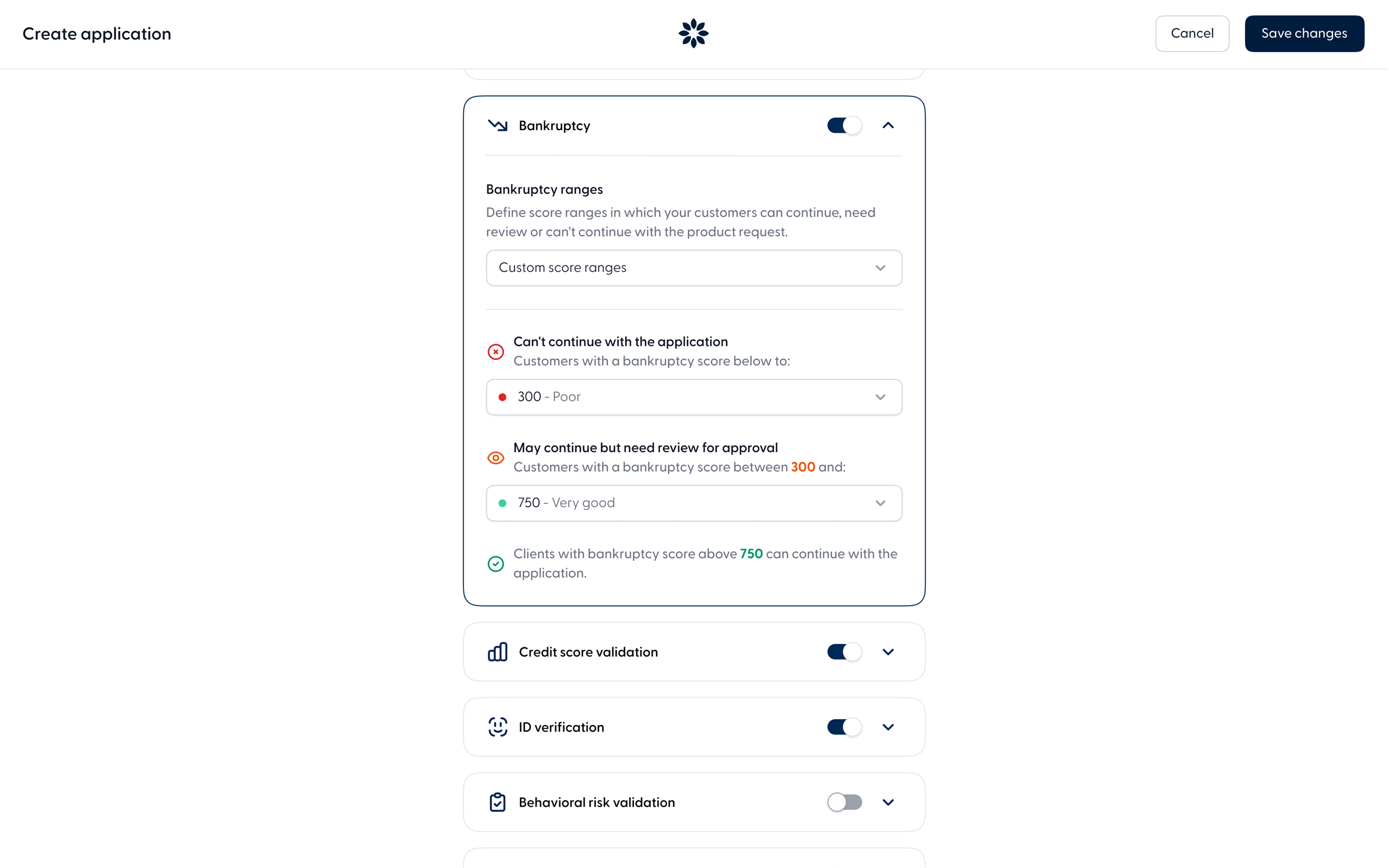
Bankruptcy score validation in product configuration

Administrators can now configure bankruptcy score ranges directly from Product Configuration. Define thresholds to automatically approve, flag for review, or deny applications based on a member's bankruptcy model score. Bankruptcy validation runs before the credit score check, and results are visible in the application ticket and credit score PDF.

  • Breeze - New ticket actions - Web
    Breeze - Desktop

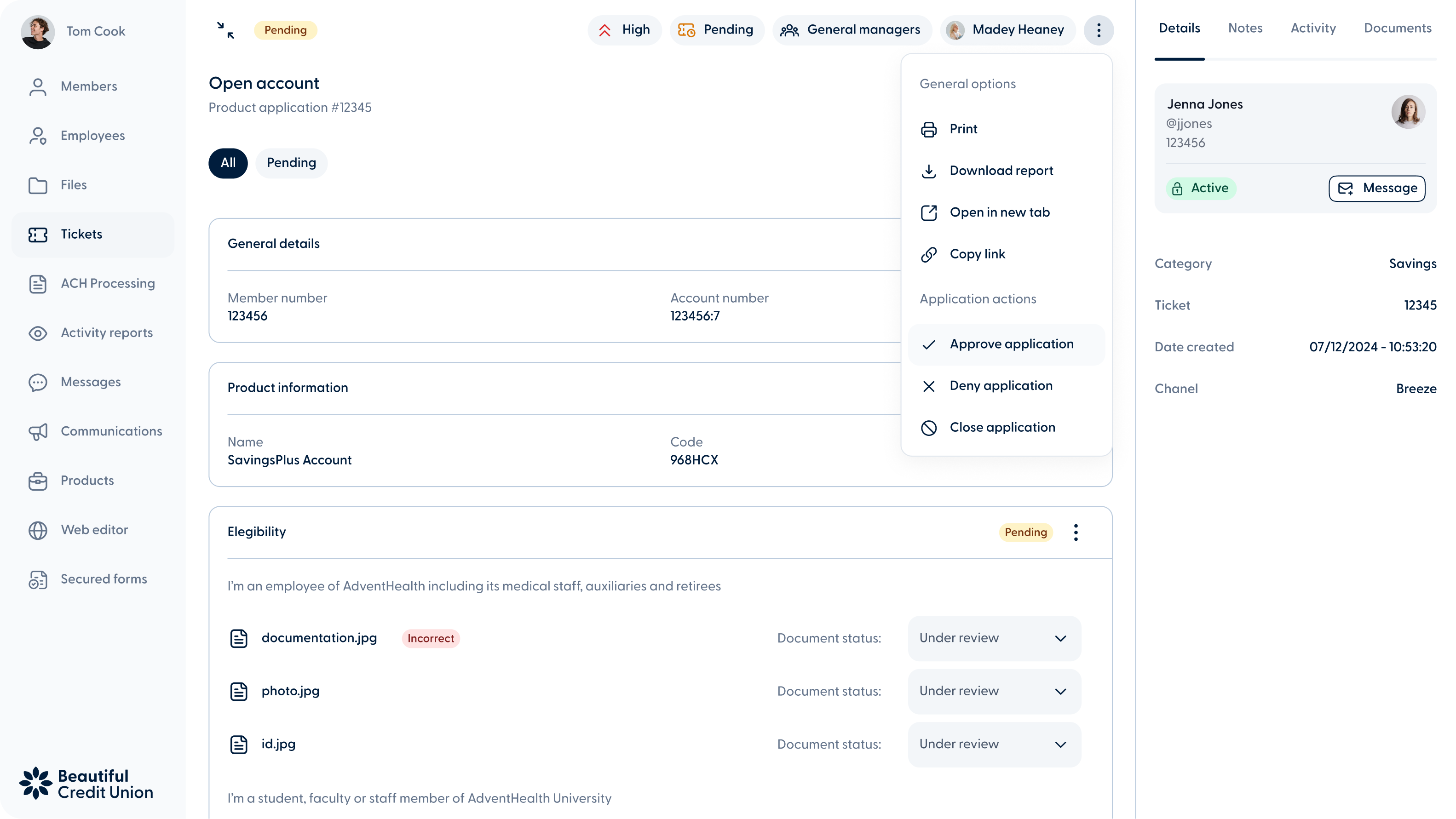
New ticket actions: approve, deny, and close application

Employees can now approve, deny, or close a pending application directly from the ticket without needing to complete all pending steps first. A reason is required when denying or closing an application. These actions are available on any ticket in pending approval status.

Other improvements


Access and download terms & conditions from online banking

Members can now view and download their accepted terms and conditions from the Agreements section in online banking. This includes documents generated during membership, loan, funding, and other product flows.


Updated Experian credit report PDF design
The Experian credit report PDF has been redesigned with a cleaner, more professional layout, making it easier for employees to interpret credit information at a glance.

  • Web - Previous Version View

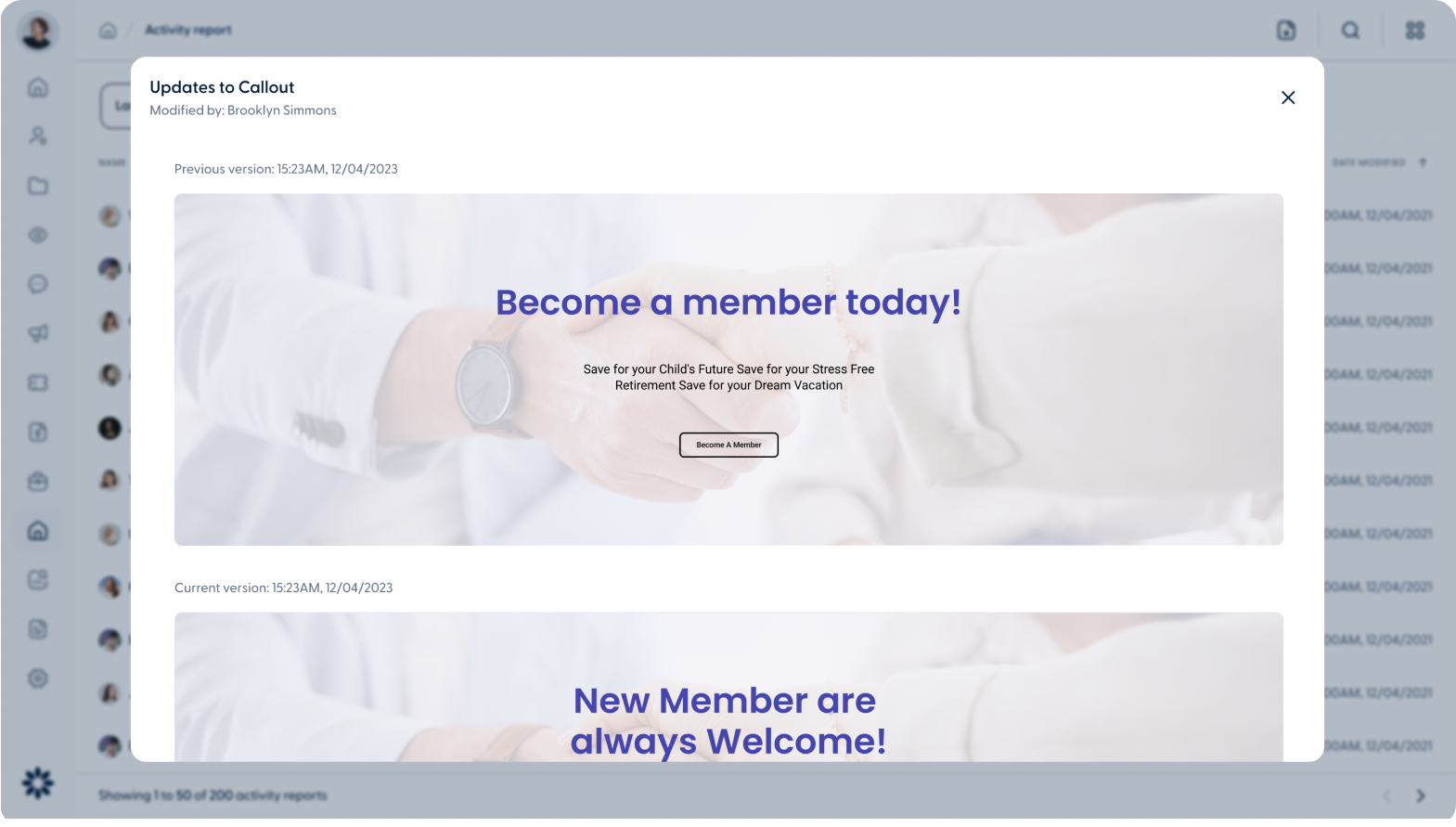
Activity report with version history and restore

The Activity report in the CMS now displays previous and current versions of any published or updated component. Deleted components can be restored directly from the activity detail modal, giving administrators full visibility and control over content changes.

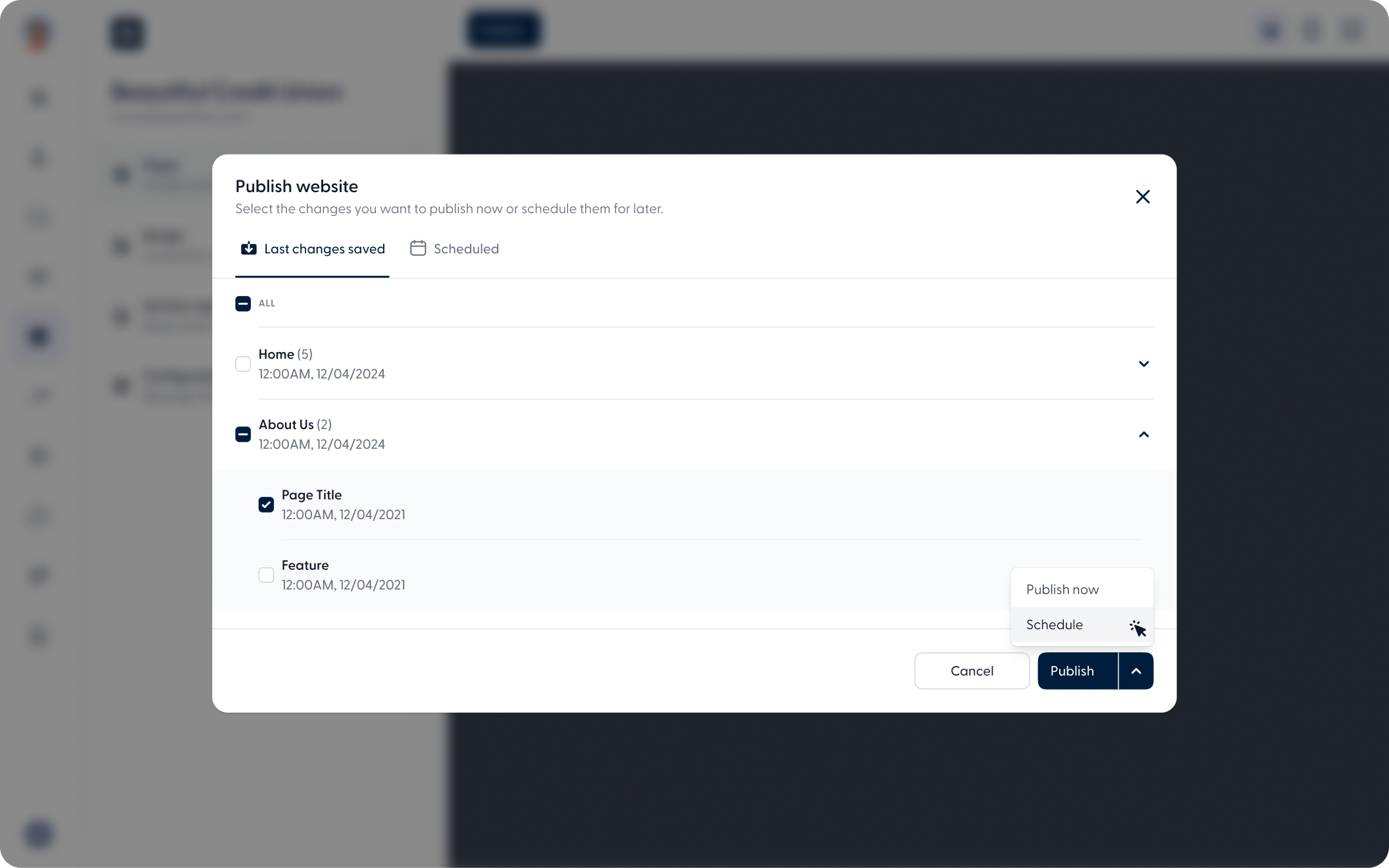
  • Web - Schedule Publishing

Schedule content publications

Administrators can now schedule content to go live at a specific date and time directly from the publish modal. Scheduled components appear in the Schedule tab for easy tracking, and content is published automatically. No manual action needed at the time of release.

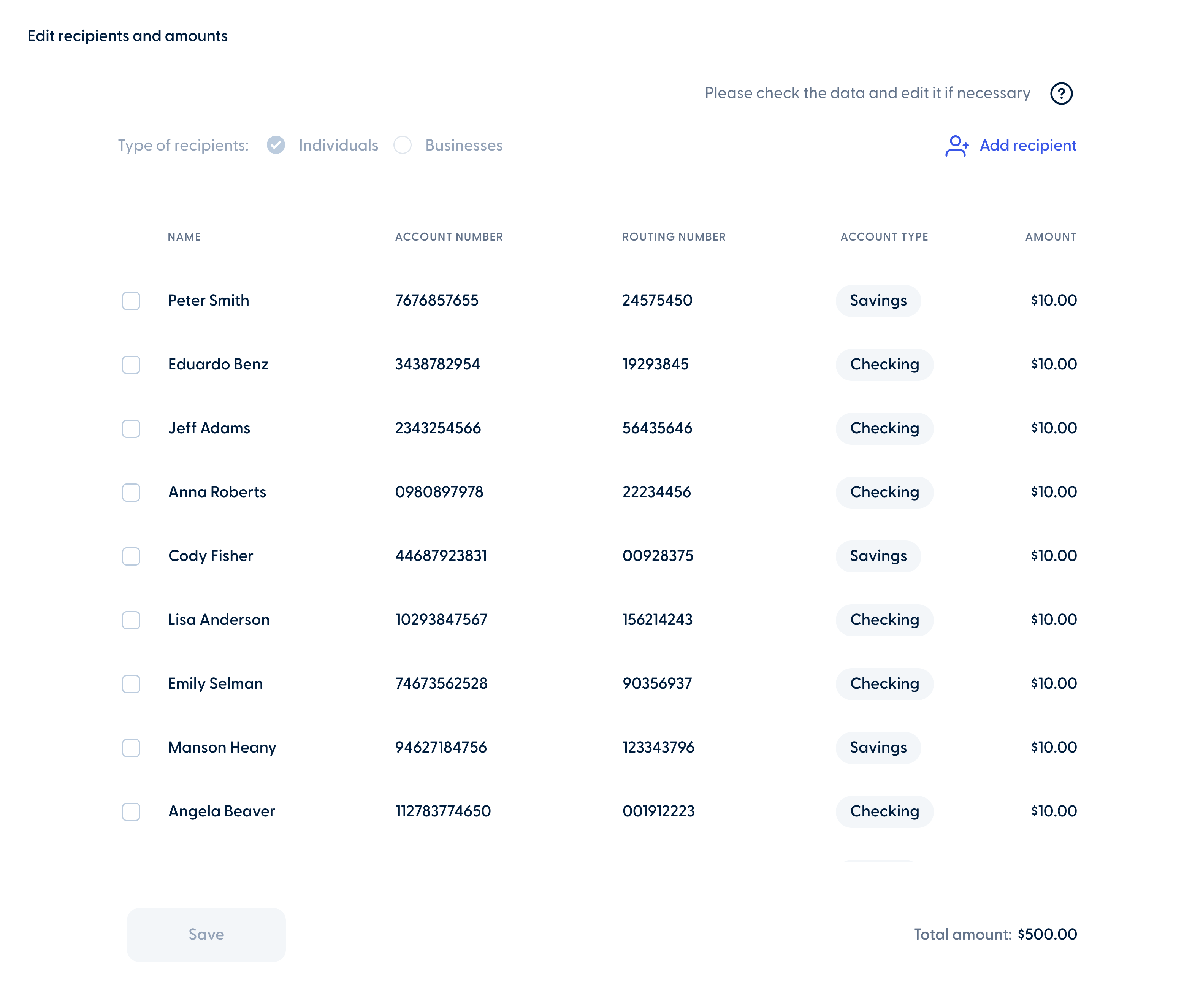
  • Batch_Transactions_Web
    Web

Improved batch transaction editing from web banking

Business members can also edit their scheduled batch transactions directly from the activity section on the web banking experience. In addition to updating the start date, stop conditions, frequency, and notes, members can also manage recipients and amounts, including adding, editing, or removing them as needed.


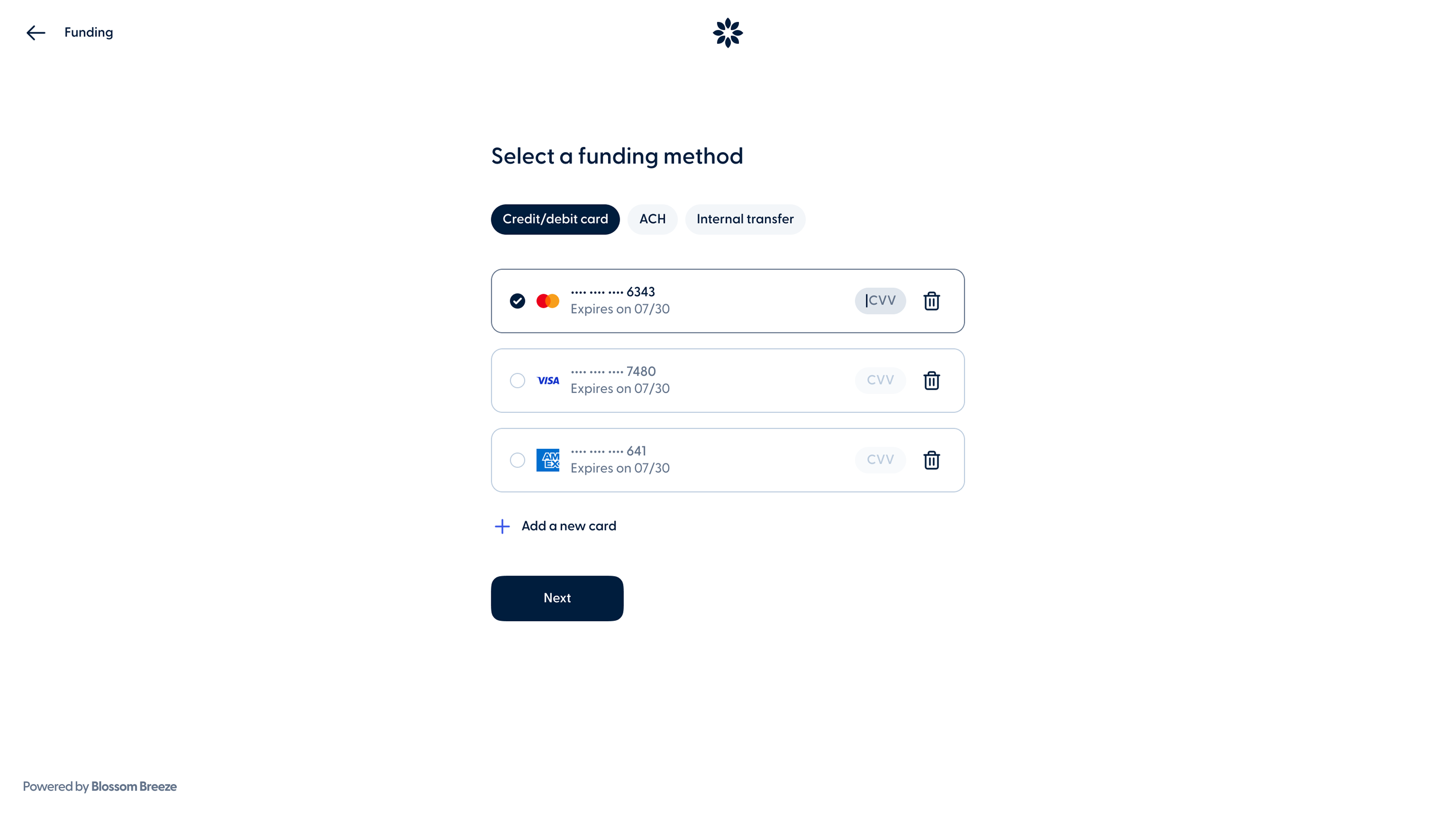
  • Breeze_Funding_Responsive
    Web
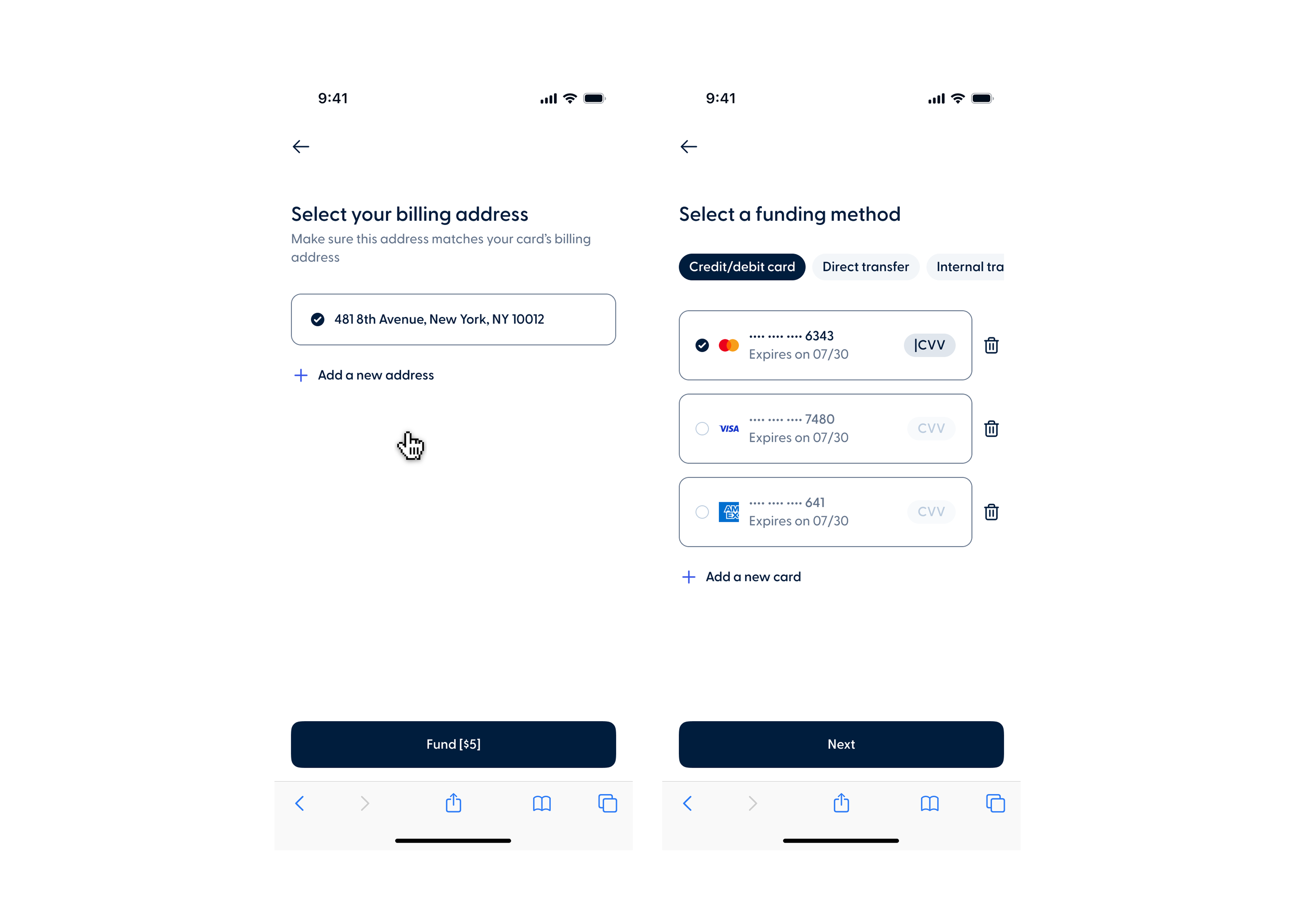
  • Breeze_Funding_mobile-1
    Mobile

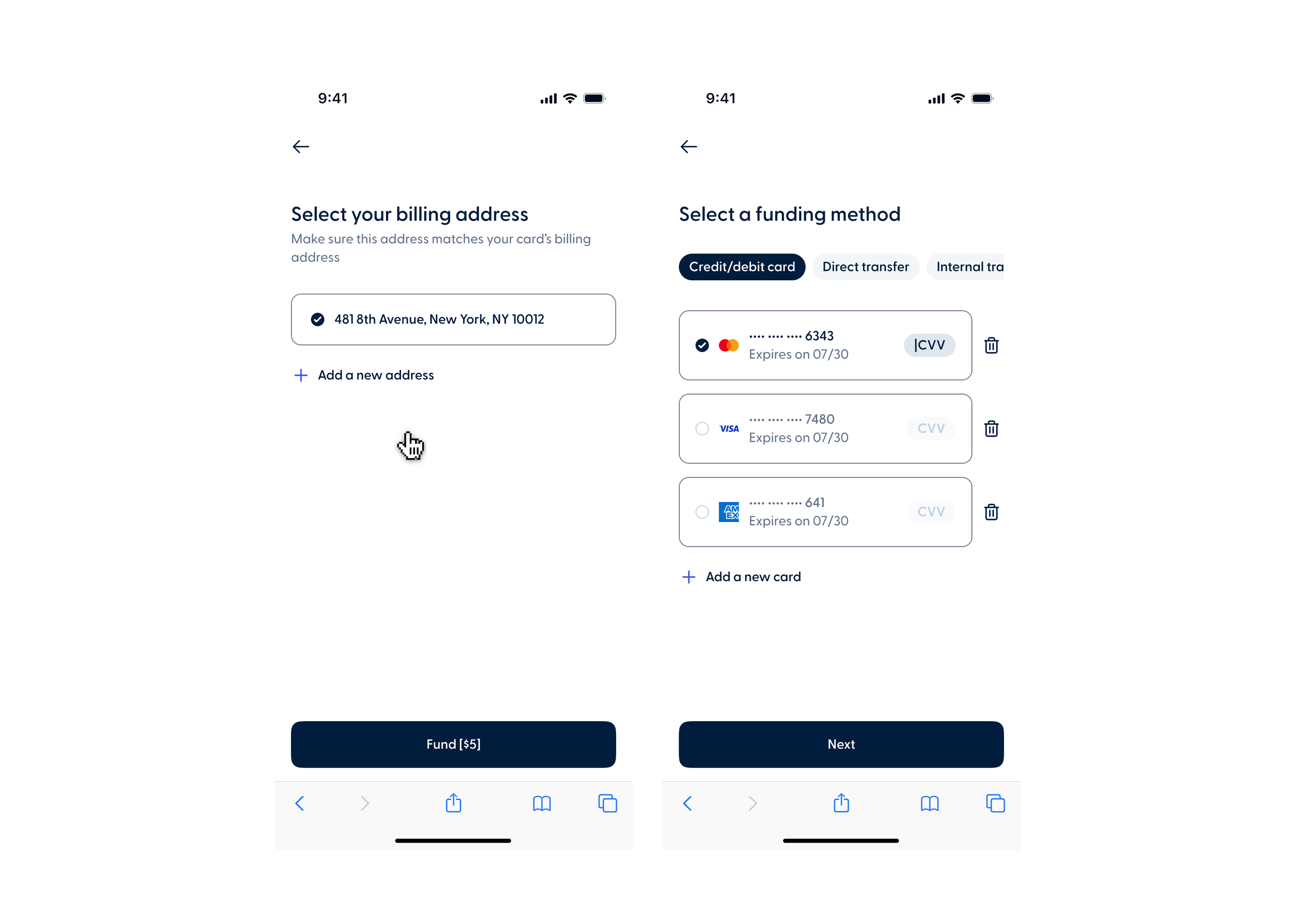
Improved funding flow with saved cards and billing address

Members can now save a card during the funding process and select it on future applications without having to re-enter their details. A new billing address step also lets members choose the address used during their application or add a new one.

This update will be available on May 26th.

Recent release notes